A quiet place for the Quran. On the screen you use all day.
A careful mushaf a click away, a daily wird you can keep, and the morning and evening adhkar at the right moment. The text is the Uthmani text of the Tanzil Project, shown exactly as published and always with its attribution. Free, offline, and off until you turn it on.
New in 3.1FreeFree · opt-in · works offline (recitation streams)
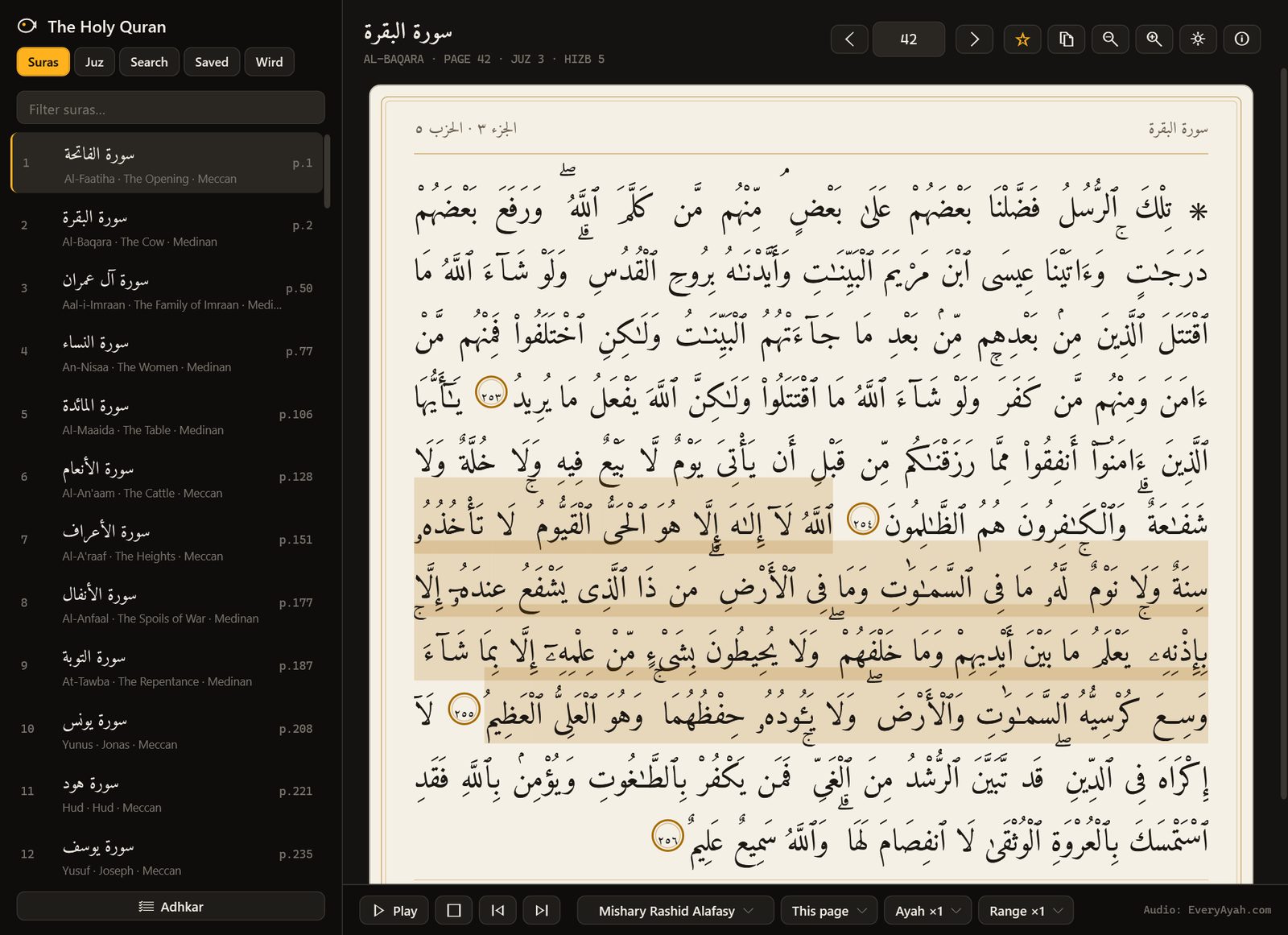
- Mushaf pages604
- Surahs114
- Adhkar lists5
- Internet needed to read0
01 / 09How it works
Turn it on. Choose a wird. Keep it.
The feature stays off until you switch it on in Settings → Quran. The reader, search and adhkar counters are there either way.
- 01Step 1/4
Switch it on
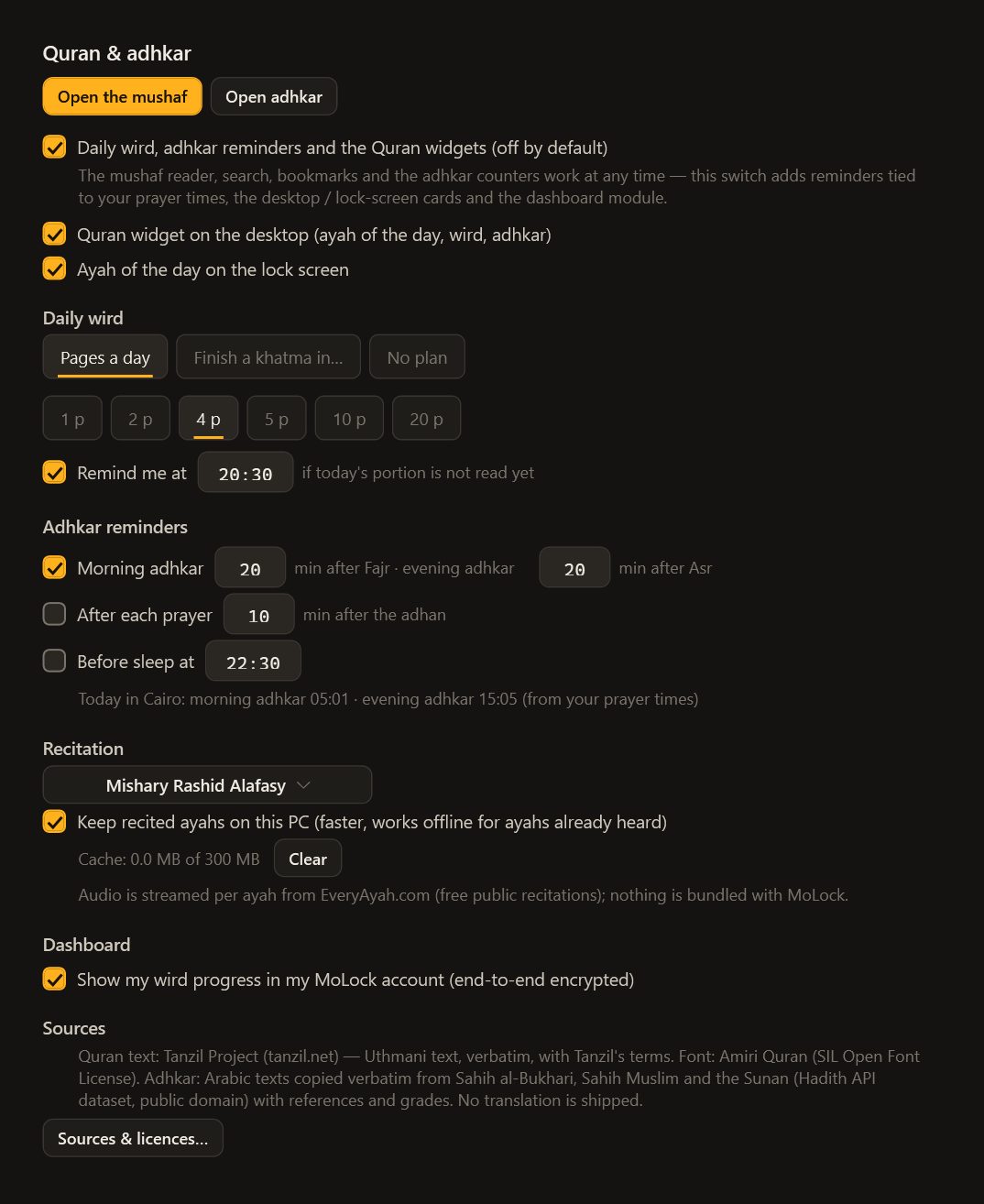
In Settings → Quran, turn on the reminders and widgets, then choose the desktop widget, the lock-screen card or both.
- 02Step 2/4
Choose a wird
A number of pages a day, from 1 to 20, or a khatma in the days you choose, from 7 to 365. Changing the plan keeps your place.
- 03Step 3/4
Set your reminders
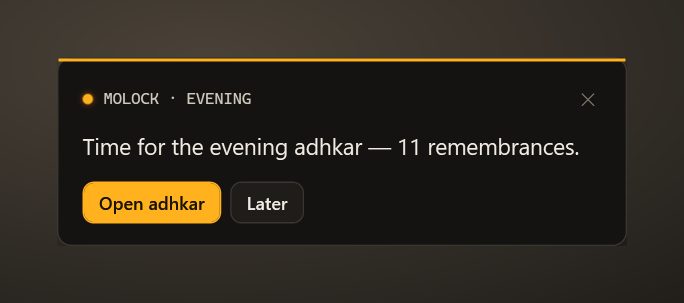
Morning adhkar 20 minutes after Fajr and evening adhkar 20 minutes after Asr by default. Add a nudge after each prayer or before sleep.
- 04Step 4/4
Pick a reciter
Choose a voice for recitation and whether ayahs you've heard are kept on your PC.
02 / 09The mushaf reader
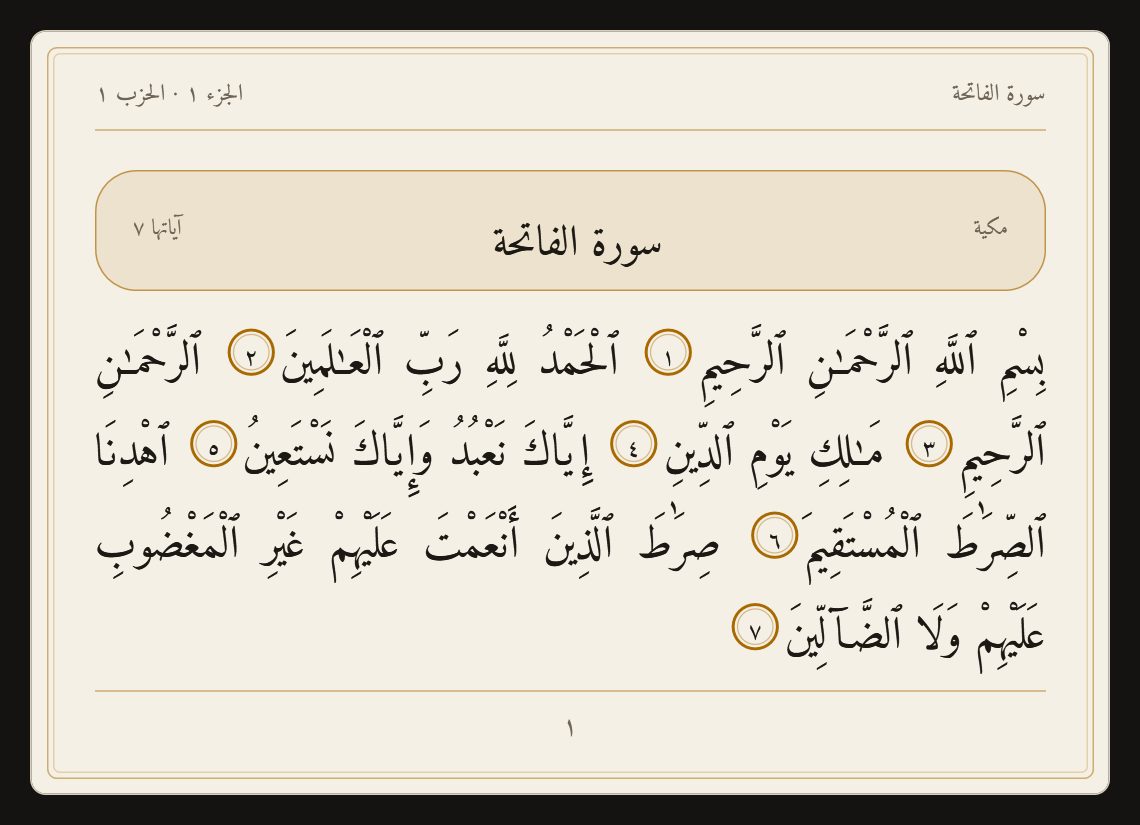
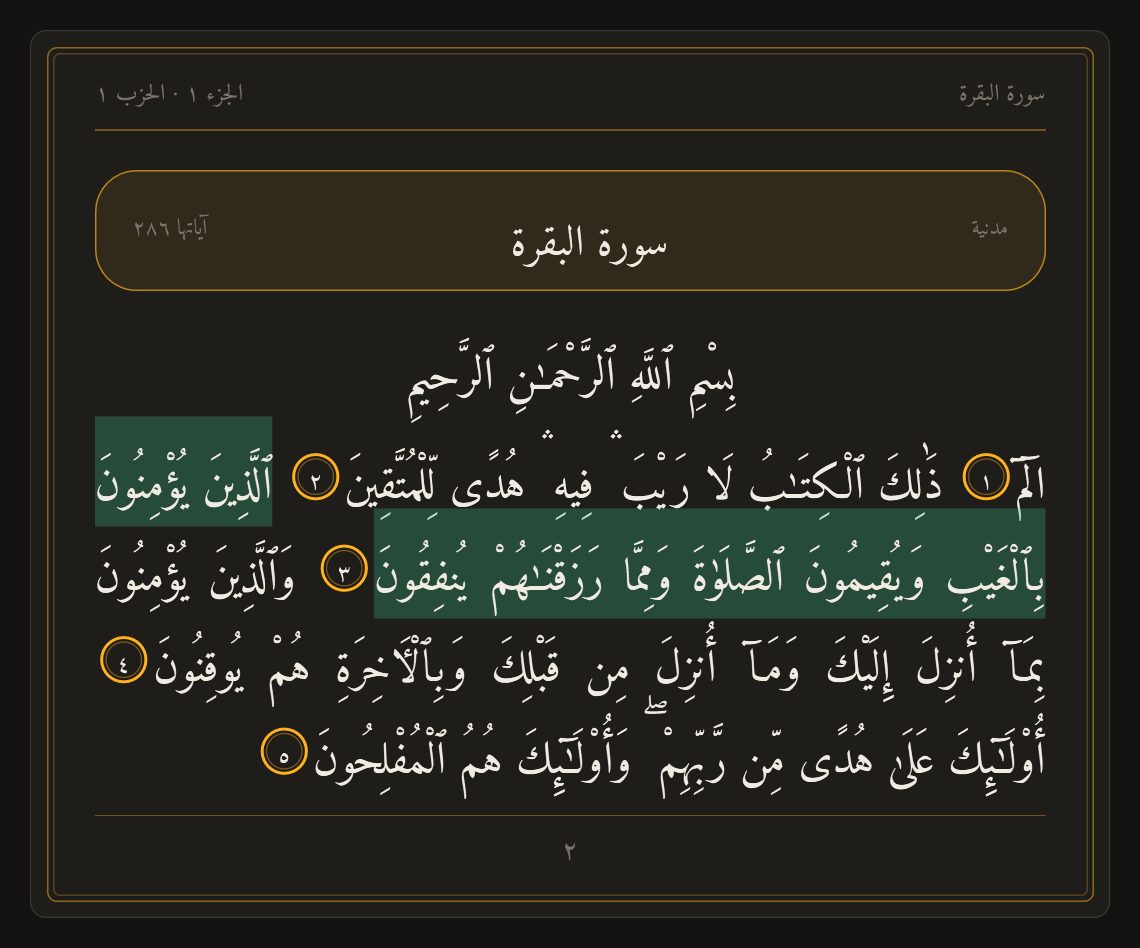
The Medina mushaf, page by page. Exactly as published.
The Uthmani text from the Tanzil Project is embedded unchanged and checked for integrity, set in the openly licensed Amiri Quran typeface.
604 pages
The Medina mushaf layout, with surah headers, juz and hizb quarters, and the signs of sajdah.
Navigate your way
Pick a surah, jump to a juz or a page, or turn pages with the arrow keys.
Search that forgives
Diacritics don't matter. Type 2:255, a surah name with an ayah number, or “page 50” to go straight there.
Bookmarks and last read
Ctrl+D bookmarks an ayah, and the reader opens where you stopped.
Recitation
Streamed ayah by ayah from EveryAyah.com, with a choice of reciters and repeat by ayah or by range.
Paper or dark page
A warm paper page by day, a graphite page by night, and the text size that suits your eyes.
Copy with reference
A copied ayah carries its surah and number, and a line naming the Tanzil Project.
03 / 09Wird & widgets
A daily portion. Gentle reminders.
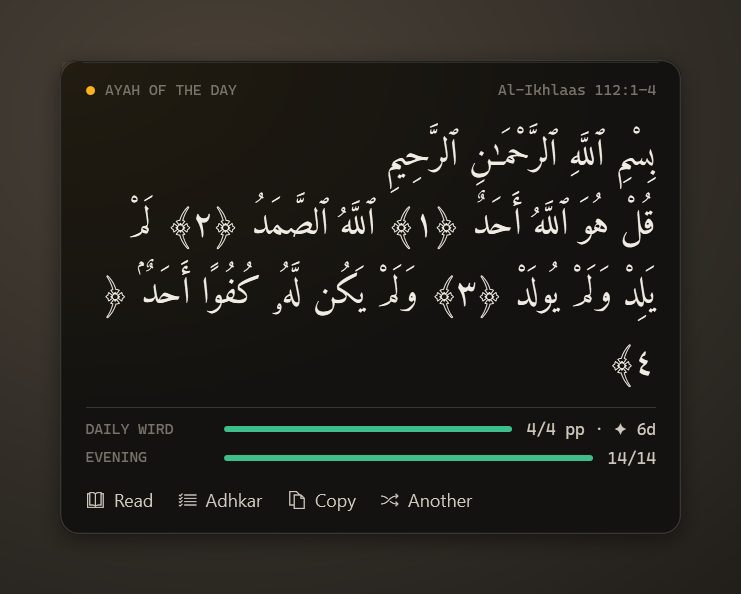
Read the next wird page for about twenty seconds and turn forward — it counts. The Wird tab shows today's pages, your streak, your khatma progress and the last 14 days.
- Tied to your prayer timesReminders follow the prayer times MoLock calculates for your place, so “after Fajr” means after Fajr today.
- Considerate by designEach reminder comes once a day, stays silent in full-screen apps, and is skipped if the PC slept through it by more than 90 minutes.
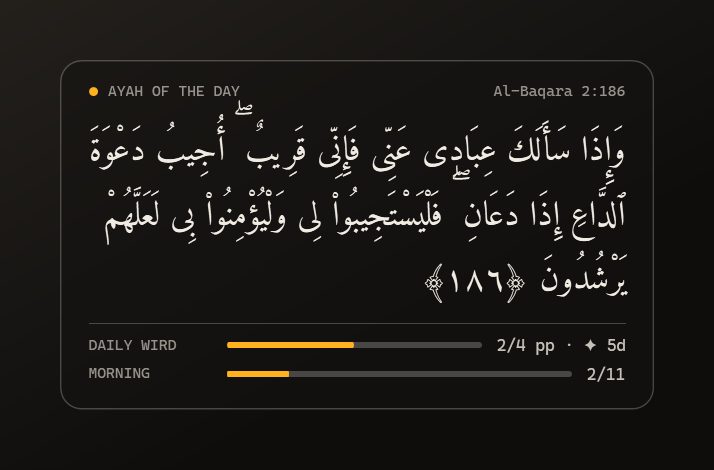
- Desktop widgetThe ayah of the day, your wird and the adhkar that fit the hour, with Read, Adhkar, Copy and Another ayah.
- Lock-screen cardThe ayah of the day and your progress on MoLock's lock screen, where reminders appear as a quiet banner.
04 / 09Adhkar
Counted, referenced, and sourced with care.
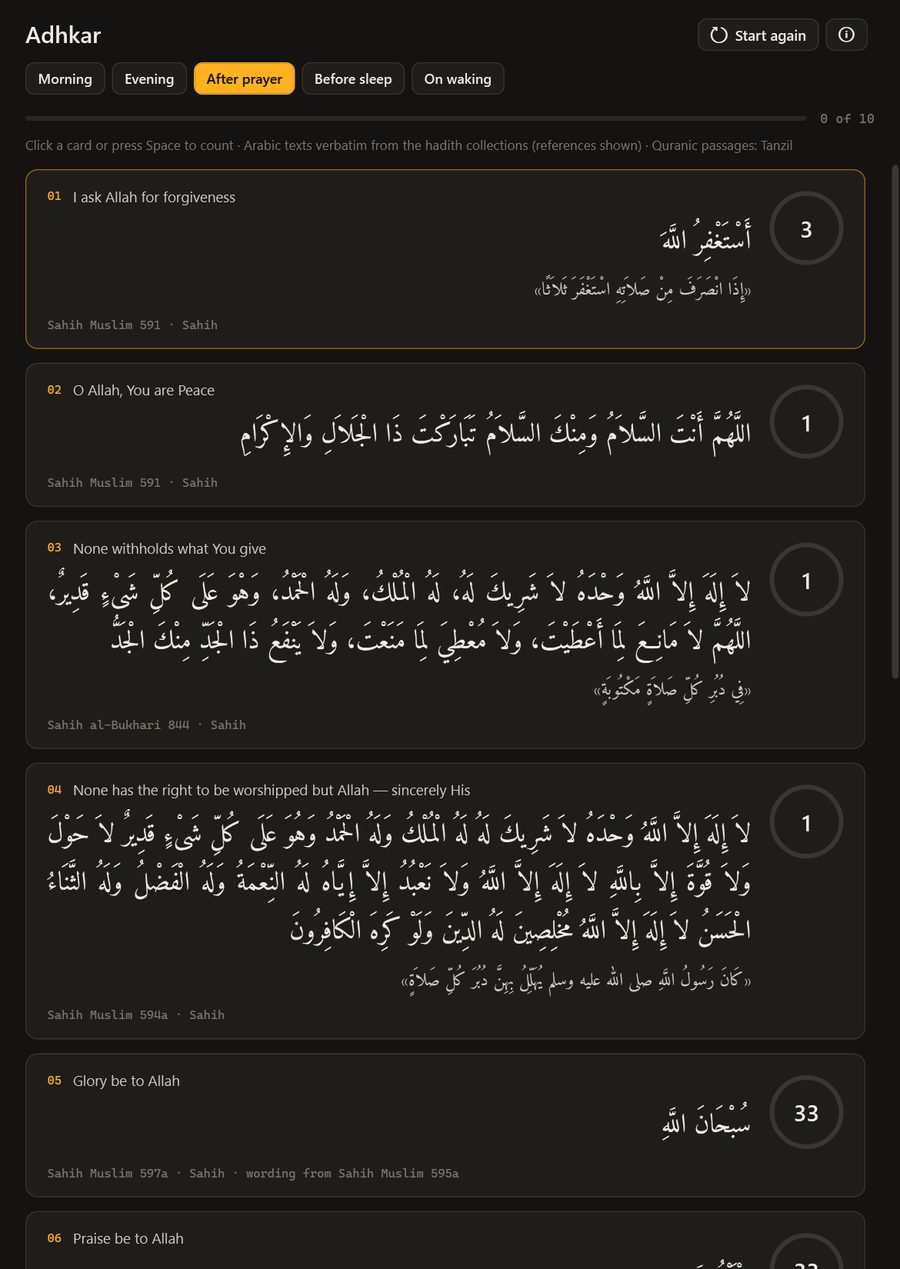
Five lists: morning, evening, after prayer, before sleep and on waking. Click a card or press Space to count; a finished dhikr folds away and the next one is ready.
- Word for word from the collectionsEvery text is copied exactly from Sahih al-Bukhari, Sahih Muslim and the Sunan of Abu Dawud, at-Tirmidhi and Ibn Majah.
- Reference and grade shownEach text shows its reference and grade. Narrations from the Sunan are kept only when graded authentic or good.
- Counts that reset themselvesCounts follow the cited narration. Morning, evening and sleep lists reset daily; the after-prayer list resets with each prayer.
- Quranic adhkar from the mushafAyat al-Kursi and the closing surahs are shown from the same Tanzil text as the reader.
05 / 09Privacy
Worship is private. It stays on your PC.
The mushaf, search, the wird, the adhkar and the reminders all work offline. Only recitation reaches the internet, and only when you press play.
Encrypted progress, if you want it
On a linked PC, your wird and adhkar progress can appear in your dashboard — sealed on the PC, opened only in your signed-in browser. You can switch it off.
Notes stay home
Bookmark notes and reading history older than 14 days never leave the PC.
Recitation on request
Audio streams only when you press play and is never redistributed by MoLock; a size-capped cache on your PC is optional.
Reaches your dashboard
- Today's wird, streak and khatma progress
- Adhkar progress for each list
- Your Quran settings
Stays on your PC
- Bookmark notes
- Reading history beyond 14 days
- What you search for
The little that sync needs
- That a sealed update arrived, and when
- Its size
- Which PC sent it
06 / 09Dashboard & bot
Your wird, on your phone.
On a linked PC, the dashboard shows today's wird, your streak, khatma progress and today's adhkar — with the ayah of the day and the Tanzil Project's attribution.
- Change your wird plan, reminders and widgets from the dashboard; the PC follows.
- Ask the bot for a summary: today's wird, your streak and the adhkar you've completed.
- Sealed on the PC before upload and opened only in your signed-in browser.
07 / 09Limits
Exactly what it does. And what it doesn't.
Arabic only
No translation or tafsir is included: we found none whose licence clearly allows it to be shipped. Surah names also appear in English.
Recitation needs the internet
Audio streams from EveryAyah.com, named in the player with the reciter. Ayahs you've heard can be kept for offline listening.
The text is never altered
The Tanzil Project's text is shown unchanged, with its attribution and a link. The Sources & licences window carries its notice in full.
Reminders follow your place
Prayer-linked reminders use the prayer times set up in MoLock — check your city and calculation method first.
08 / 09Read more
In-depth guides. In plain words.
Quran and adhkar on your PC: a calm place to read
Most of us spend more hours in front of a computer than anywhere else. MoLock 3.1 makes room there for the Quran and the daily adhkar: a careful mushaf, a wird you can keep, and reminders that know your prayer times.
Prayer times on your desktop: accurate methods explained
Two apps, one city, two different Fajr times. That is rarely a bug; it is a choice of method. Here is how prayer times are calculated, how to match the timetable your local authority and mosque use, and how MoLock keeps them in view without getting in the way.
What is 7ot.app? Our story, and what comes next
A short name with a long story: how an Arabic word for a whale became the address of MoLock, who builds it, the principles that do not change, and how you can help decide what comes next.
09 / 09Questions
Quran & adhkar
Where does the Quran text come from?
It is the Uthmani text published by the Tanzil Project, embedded exactly as published, with its attribution and a link. The reader's Sources & licences window shows its notice in full.
Is there a translation or a tafsir?
No — the feature is Arabic only. We include only texts whose licence clearly allows it, and we found no translation or tafsir that met that standard.
Does it work without the internet?
Yes: the mushaf, search, the wird, the adhkar and the reminders all work offline. Only recitation streams, from EveryAyah.com, and ayahs you've heard can be kept on your PC for listening offline.
Where do the adhkar texts come from?
They are copied word for word from Sahih al-Bukhari, Sahih Muslim and the Sunan of Abu Dawud, at-Tirmidhi and Ibn Majah, with the reference and grade shown under each text. Narrations from the Sunan are kept only when graded authentic or good, and the counts are those of the narration.
How do the reminders know the prayer times?
They use the prayer times MoLock calculates on your PC for your place, so by default the morning adhkar come 20 minutes after Fajr and the evening adhkar 20 minutes after Asr. Set your city and method in prayer times.
Is it free — and is it on by default?
It's entirely free, and off until you turn it on in Settings → Quran. That adds the reminders, the widgets and — on a linked PC — your encrypted progress in the dashboard.
Free · no ads
Try it on your PC today.
Windows 10 & 11 · works without an account; the dashboard is optional and free