Your own address. Sealed the moment it lands.
MoLock 3.0 gives every account a free name@7ot.app email. Incoming messages are stored encrypted to a key only your account holds, so the service can't read them later. Read and write from the MoLock window on your PC or from the dashboard in any browser — with a quiet toast when something new arrives.
New in 3.0FreeFree on every plan · in the app and on the web
- Inbox2
- Sent
- Drafts1
- Spam
- Archive
- Trash
- Storage92 MB / 500 MB
Search your mail
- Cairo BankYour October statement is ready
- Ahmed SamirSlides before tomorrow's meeting
- MoLockA new PC was linked to your account
- Book StoreOrder 4821 is on its way+shop
- MonaTrip photos 📷
Messages are stored encrypted to your account key; the server can't read them later
Fromsara.m@7ot.app
Toahmed@example.com
SubjectRe: slides
Thanks Ahmed — I went through them and attached the final version. See you at ten tomorrow.
slides-final.pdf · 3.4 MB
SendSent today 4 / 20
- Your address1FREE
- Folders6
- Largest message25MB
- Sends per day20FREE
01 / 08How it works
Pick a name. Your inbox is ready.
The address is optional: create it during setup or later from the dashboard, and use it alongside the email you already have.
- 01Step 1/3
Choose your handle
3 to 24 characters — lowercase letters, digits, dots, dashes or underscores. A few names (like admin or support) are reserved. Setup or the dashboard's "Create my 7ot.app email" checks it's free.
- 02Step 2/3
Mail arrives — and is sealed
Each incoming message is checked (sender identity, size, spam signals), then stored encrypted to your account's mail key. Spam goes to its own folder; unknown addresses are refused.
- 03Step 3/3
Read it anywhere
Open Mail in MoLock on your PC or 7ot.app/me/mail/ in a browser. Your device unseals each message; reply, forward, attach files and organise into folders.
02 / 08What it does
A real mailbox. Built around privacy.
Everything you expect from email — without handing your messages to another advertising inbox.
name@7ot.app
A short, memorable address on the MoLock domain, free on every plan.
Aliases with +tag
Give shops name+shop@7ot.app. It lands in the same inbox, and you'll know who shared your address.
Six folders
Inbox, Sent, Drafts, Spam, Archive and Trash, with read and starred flags.
Spam filtering
Failed sender checks, known bad sources and suspicious patterns go to Spam.
Private search
Searching runs on your device over messages it has already unsealed.
Attachments
Send and receive files; messages up to 25 MB arrive, and sending follows your plan.
New-mail toast
"New email from …" on the PC and a tray badge — quiet during focus sessions.
Web and push
The same inbox in the dashboard, with optional push notifications on your phone.
4 / 6Choose your email address (optional)
sara.m@7ot.app
Available3–24 characters: a–z, 0–9 and . _ -
- Stored encryptedWith a key only your account holdsAlways
- Aliases sara.m+shop@Delivered to the same inbox
- Notify me of new mailOn the PC and phone · respects focus quiet
Create my emailLater
Fromsara.m@7ot.app
Toahmed@example.com
SubjectRe: slides
Thanks Ahmed — I went through them and attached the final version. See you at ten tomorrow.
slides-final.pdf · 3.4 MB
SendSent today 4 / 20
03 / 08Your inbox, in MoLock
One window for mail. On the PC you already protect.
Mail lives inside the MoLock window in the same Graphite & Amber design — and behind the same launch password.
- Protected by your PC lockNobody reads your mail on an unlocked desk: opening MoLock asks for your password.
- Counts toward your storageMail shares your account storage with files and recordings — 500 MB free, 20 GB with Premium.
- Sending limits20 messages a day on Free, 500 on Premium — enough for people, never for spammers.
- Inbox2
- Sent
- Drafts1
- Spam
- Archive
- Trash
- Storage92 MB / 500 MB
Search your mail
- Cairo BankYour October statement is ready
- Ahmed SamirSlides before tomorrow's meeting
- MoLockA new PC was linked to your account
- Book StoreOrder 4821 is on its way+shop
- MonaTrip photos 📷
Messages are stored encrypted to your account key; the server can't read them later
04 / 08Privacy
Stored sealed. Read only by you.
Email travels across the internet as normal email — that's how every mail service works. What MoLock changes is what happens next: the message is sealed to your account key before it is stored, and only your devices can open it.
Encrypted at rest
Each stored message is encrypted to your account's mail key, which is itself locked by your account key.
No ads, no profiling
Your mail is never scanned for advertising and never sold. MoLock has no ads at all.
Previews only if you allow
New-mail alerts show the sender; a subject hint appears only if you turn previews on.
Stored, unreadable to us
- Message contents and attachments
- Subjects and senders in your folders
- Your drafts
Not stored by the service
- Readable copies after delivery
- Advertising profiles
- Your mail key in readable form
To deliver and count
- Size, time received and folder
- Addresses needed to deliver a message
- Daily send count and storage used
05 / 08Dashboard & bot
Mail in the dashboard. Alerts where you want them.
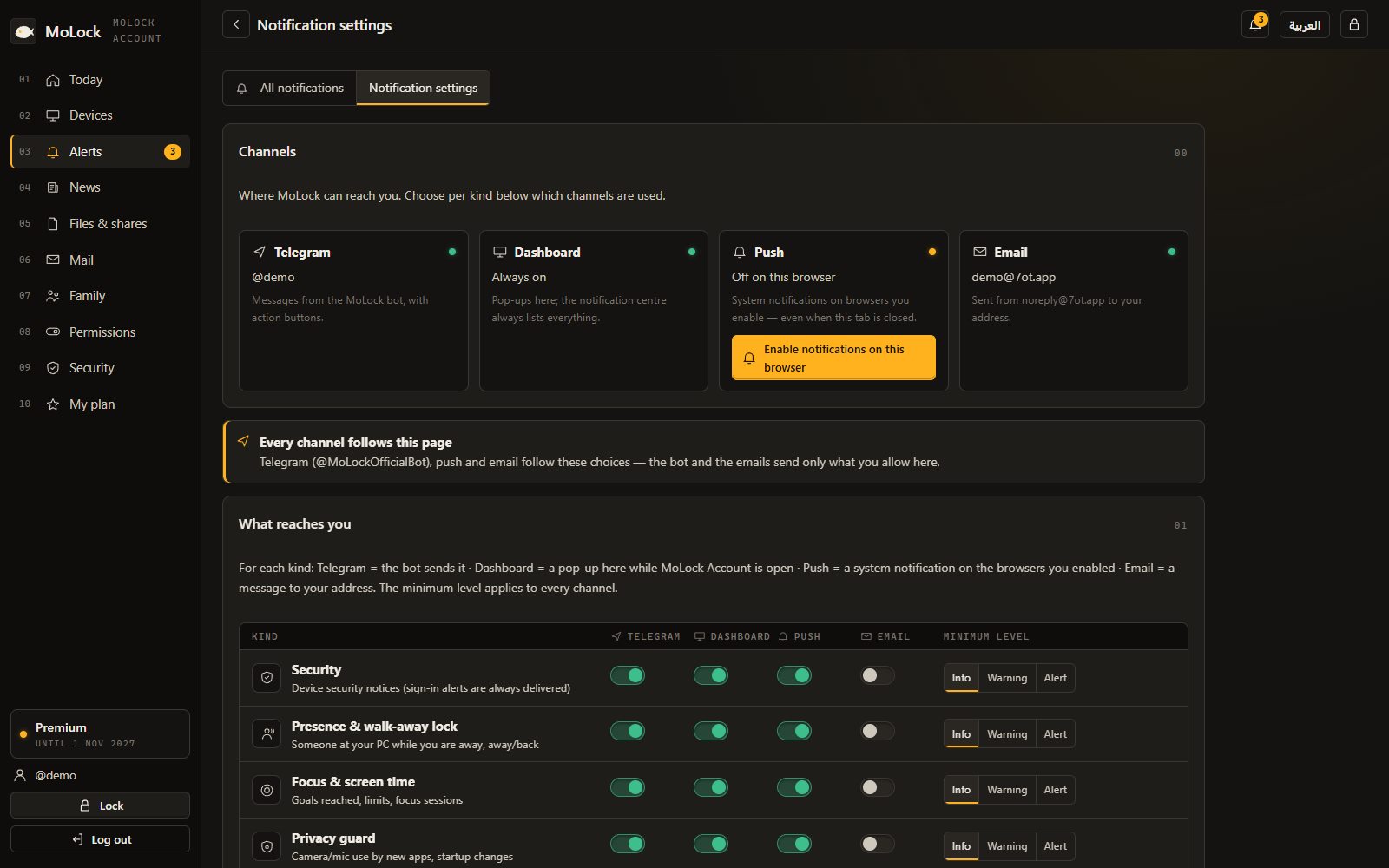
7ot.app/me/mail/ is the same inbox in any browser. Notification preferences decide whether new mail reaches you as a push notification, in the web dashboard or not at all.
- Read, compose, reply and forward from any browser — your browser unseals the messages, not the server.
- Push notifications for new mail, per browser, with quiet hours honoured.
- System messages — sign-ins, linked PCs, plan changes — come from noreply@7ot.app.
06 / 08Limits
Exactly what it does. And what it doesn't.
An extra address, not a migration tool
MoLock doesn't import old mailboxes. Use 7ot.app for new sign-ups and private conversations.
Email itself isn't end-to-end
A message from a bank or a friend crosses the internet like any email before it is sealed. Use encrypted share links for very sensitive files.
Sending is limited
Daily limits and abuse protection keep the domain trusted. Bulk or unsolicited mail breaks the Terms.
Your account key matters
Because mail is sealed to your account, keep your recovery codes safe — without them nobody, including us, can open old mail.
07 / 08Read more
In-depth guides. In plain words.
Your free 7ot.app email: a private inbox in MoLock
MoLock 3.0 can give you an email address of your own on 7ot.app, free. Here is how to choose a good handle, how the inbox works, and, honestly, what its encryption does and does not cover.
Introducing MoLock 3.0: one home at 7ot.app
Version 3.0 is the biggest step since MoLock Account: one address for everything, your own inbox inside the app, family controls, a much faster converter and an install that is far harder to tamper with. Here is what changed, and what deliberately did not.
End-to-end encryption, in plain words
"End-to-end encrypted" appears on a lot of apps. Here is what it actually means inside MoLock — with a locked box instead of maths — including the little the service can still see and what happens if you forget your password.
08 / 08Questions
7ot.app email
Is the 7ot.app email free?
Yes, on every plan. You can send up to 20 messages a day on Free (500 with Premium), and mail shares your account storage with files and recordings.
Can anyone read my mail?
Each message is stored encrypted to a mail key only your account holds, so the service can't read stored messages. Email by nature crosses the internet as normal email before it arrives — for very sensitive files, use end-to-end encrypted share links.
What names are allowed? Are there aliases?
3 to 24 characters: lowercase letters, digits, dot, dash and underscore, with some reserved names like admin or support. Any name+tag@7ot.app address lands in the same inbox.
Where do I read my mail?
In the Mail window inside MoLock on your PC, or at 7ot.app/me/mail/ in any browser. New mail shows a toast on the PC and, if you enable it, a push notification.
Free · no ads
Try it on your PC today.
Windows 10 & 11 · works without an account; the dashboard is optional and free