MoLock

01 / 284 capabilitiesNew in 3.0

7ot.app email

A free name@7ot.app address for every account, its messages stored encrypted to a key only your account holds, with an inbox inside MoLock and on the web.

  • Your own addressChosen at setup or in the dashboard, with name+tag@ aliases.
  • Encrypted at restEvery message is sealed to your account's mail key, so the service can't read it later.
  • Folders and filteringInbox, Sent, Drafts, Spam, Archive and Trash, with search on your device.
  • New-mail alertsA toast on the PC, a tray badge and push if you want it.

The 7ot.app email in detail

02 / 284 capabilitiesNew in 3.0

Family & parental controls

A profile per child on their PC: a daily allowance, a bedtime that locks calmly, blocked categories and "ask for more time" you approve from your phone. A Premium feature.

  • Limits and schedulesDaily and weekend allowances and bedtime; only active time counts.
  • Category blockingGames, social and adult content, plus a safe-search hint.
  • More-time requests+15, +30, +60 minutes or no — from the dashboard, the bot or push.
  • Weekly report & tamper alertsTime per day and category, and the PC's location only with consent.

Family & parental controls in detail

03 / 284 capabilitiesNew in 3.0

Pro converter

Convert images, PDF, video, audio, office files, ebooks and archives on your PC — from the right-click menu or in whole batches, by the fastest path available.

  • A menu per extensionSmart suggestions such as HEIC → JPG and DOCX → PDF.
  • Fastest path firstCopy without re-encoding when possible, the graphics card when available.
  • Batches and presetsParallel jobs sized to your CPU, cancel, and a before/after size report.
  • Basic free, pro with PremiumImages, PDF, text and archives free; video, audio and office with Premium.

The pro converter in detail

04 / 284 capabilitiesNew in 3.0

Safer install & launch password

A Program Files install for every user, a password before the MoLock window opens, and silent updates applied only after their signature checks out.

  • Protected folderOnly administrators can change it; Desktop and Start-menu shortcuts included.
  • Launch passwordWrong tries are logged, photographed and reported, then a lockout.
  • Silent, verified updatesThe guard service applies them without an admin prompt, after checking every file.
  • Self-checkThe app checks its own files and settings at every start.

The safer install in detail

05 / 284 capabilitiesNew in 3.0

Alerts: bot, web, push & email

Pick a channel for every alert — the bot, the dashboard, a push notification on your phone or email — with quiet hours. Telegram becomes optional.

  • Push notificationsIn your browser or on your phone, from 7ot.app/me.
  • Readable emailsIn English or Arabic, from noreply@7ot.app.
  • Quiet hoursSecurity alerts always get through.
  • In-app newsMoLock announcements and a "What's new in 3.0" tour — no channel to join.

Notification channels in detail

06 / 285 capabilities

Walk-away lock

Locks when you leave and welcomes you back: your phone, watch or earbuds over Bluetooth, your phone on the same Wi-Fi and your activity — plus the camera if you want — must agree before it locks.

  • Multi-signal presencePhone, watch, earbuds, the phone on your Wi-Fi, keyboard and mouse — and, optionally, the camera.
  • Calibration walk testLearns where your desk ends, with separate away and back thresholds so it never flickers.
  • Grace countdown with CancelA small toast before every automatic lock, as long as you choose.
  • Welcome back & quick unlockOne key or a short PIN within minutes you set — never after failed attempts or a remote lock.
  • Someone typing while you're awayAn alert on Telegram and in the dashboard with Lock now, plus an away/back timeline.

Walk-away lock in detail

07 / 285 capabilities

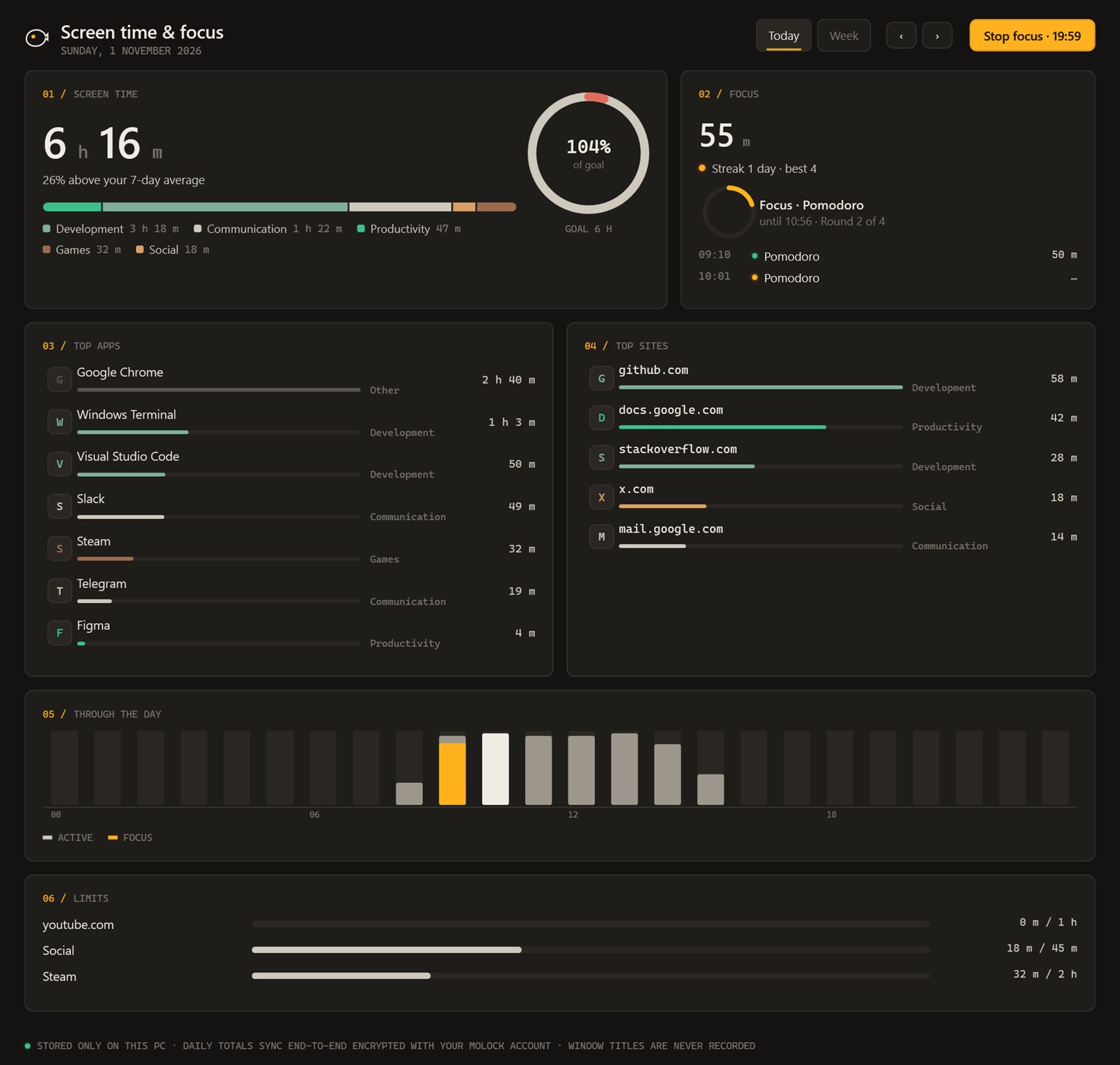
Focus & screen time

See where your time goes per app, site and category, set gentle goals and limits, and run focus sessions that hold distractions back — only encrypted totals leave your PC.

  • Honest screen timePer app, site (name only) and category, with idle time left out.
  • Goals & limits with gentle nudgesA reminder, not a penalty — and a short focus session one tap away.
  • Focus sessions & schedulesPomodoro, deep work or custom, with calm blocking and quiet notifications.
  • Desktop & lock-screen widgetsA live countdown that keeps the session in view.
  • Weekly report & remote startA summary on Telegram, and start/stop from the dashboard or the bot.

Focus & screen time in detail

MoLock screen time and focus: today’s total, categories, top apps and sites, the day’s chart and limits

08 / 285 capabilities

Privacy guard

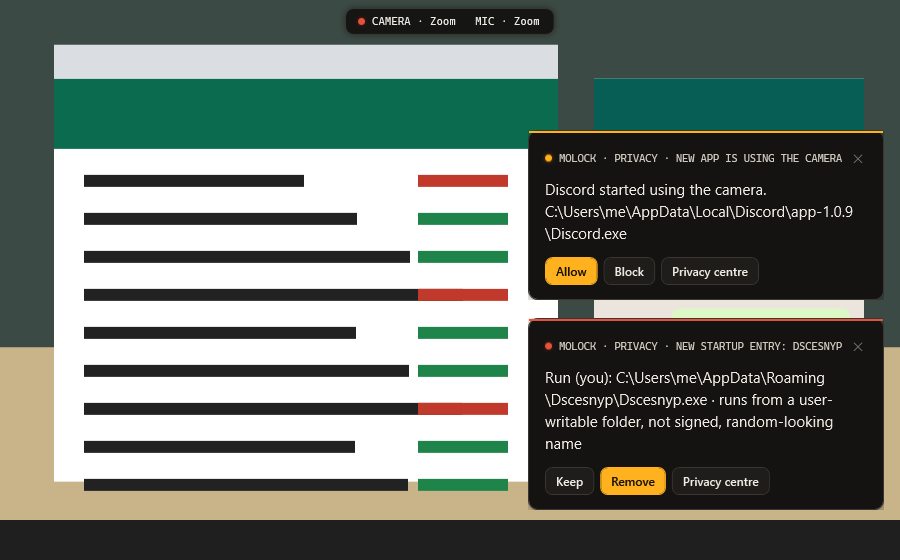
Know which app uses your camera or mic and switch them off in one tap, blur your screen for shoulder surfers, keep screen shares clean and catch new startup programs.

  • Camera & mic watchdogWhich app and when, an allow-list, new-app alerts and one-tap off.
  • Shoulder-surfing guardA second face → sensitive windows blur; opt-in, on-device, no image kept.
  • Panic keyInstant privacy blur with one shortcut.
  • Screen-sharing safe modeHides notifications, sticky notes and sensitive windows while you share or record.
  • Autostart watchA new program starting with Windows → Keep or Remove, plus a privacy score.

The privacy guard in detail

MoLock privacy alerts: a new app is using the camera, and a new startup entry with Keep / Remove

09 / 284 capabilities

Prayer times

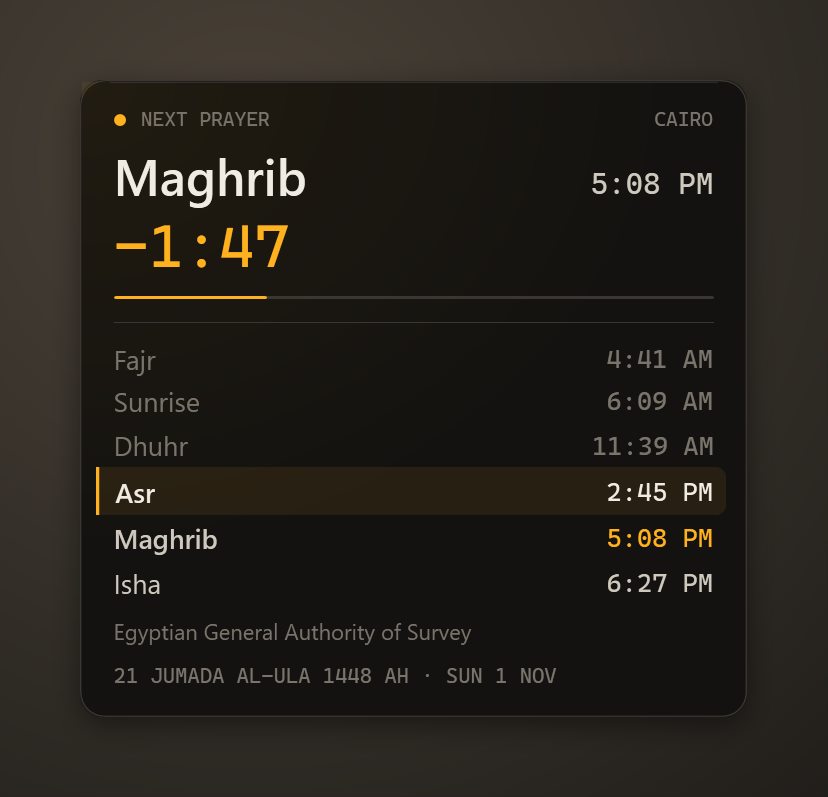
A live widget on your desktop and lock screen, calculated offline with your local authority's method — with adhan, the Hijri date and Ramadan mode.

  • Active desktop widgetCountdown, next prayer highlighted, draggable, click for the month.
  • Ten calculation methodsEgyptian authority, Umm al-Qura, MWL and more; both Asr rules and minute offsets.
  • Adhan & remindersOpen-licensed audio, pre-reminders, media paused, an optional calm prayer lock.
  • Hijri date & RamadanUmm al-Qura ±2 days, imsak/iftar countdowns, a suhoor alarm and a Friday reminder.

Prayer times in detail

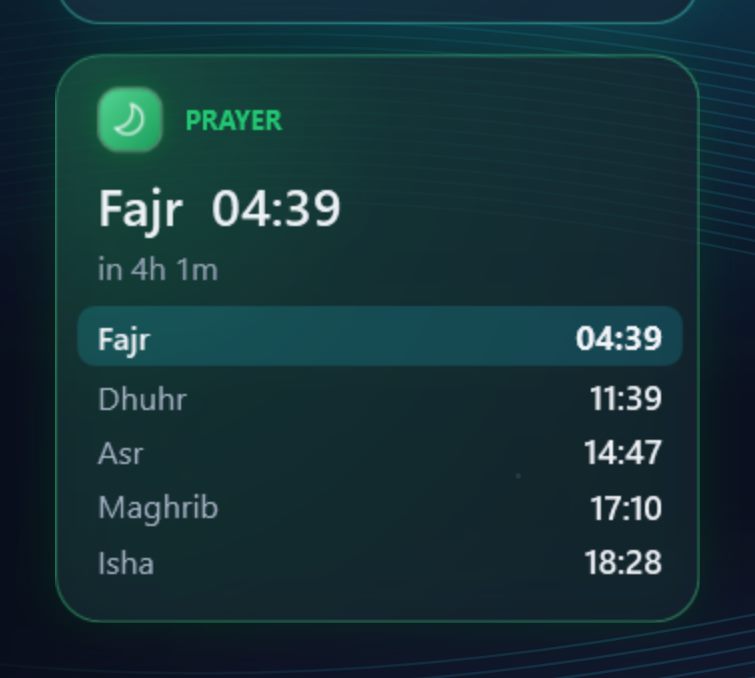
The MoLock prayer-times desktop widget for Cairo: next prayer, countdown and the day’s times

10 / 284 capabilities

Network guard

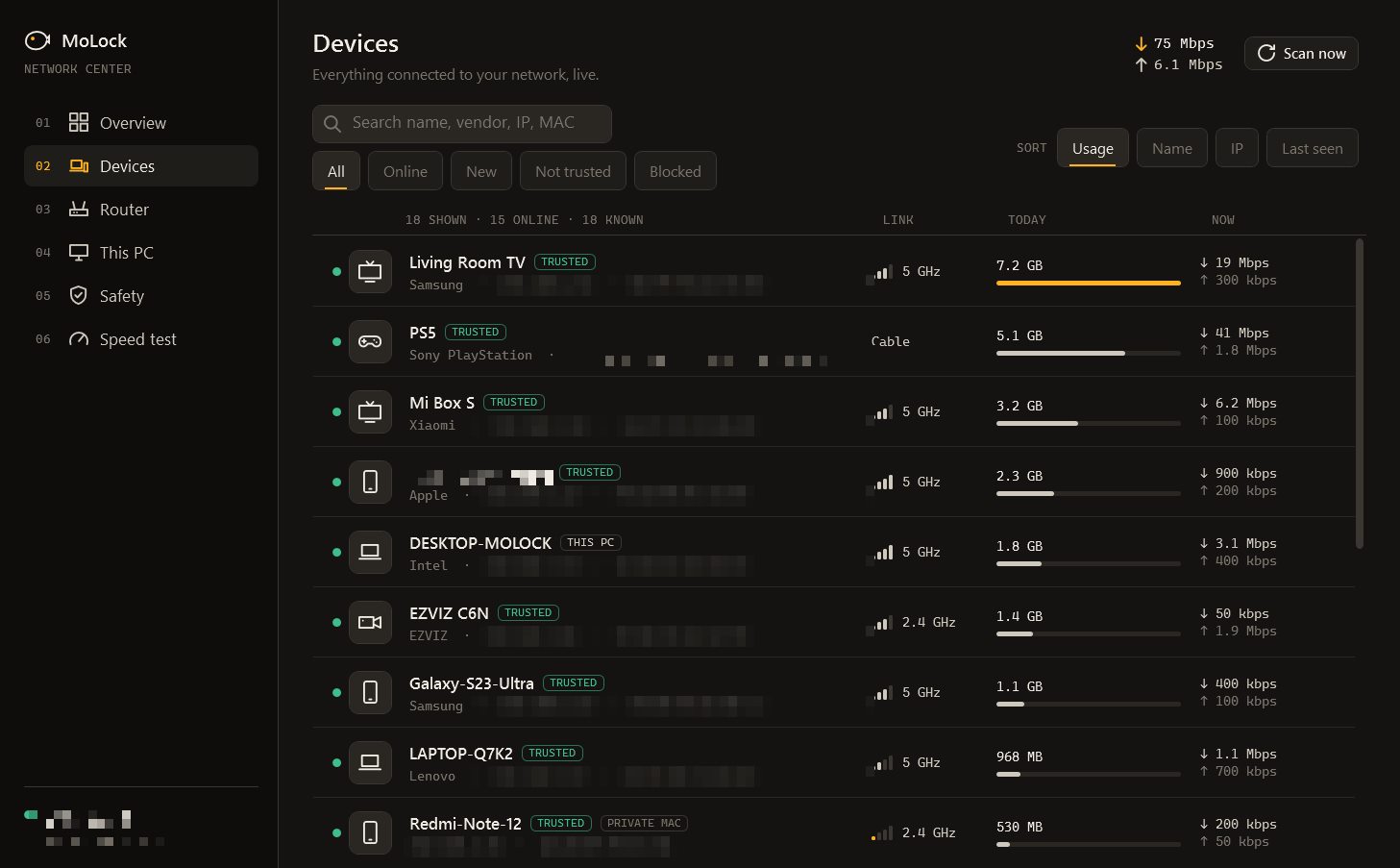
Who's on your network and how much each device uses: names, types and new-device alerts, router connection for blocking on supported models, and Wi-Fi safety checks.

  • Who's on your networkNames, makers and icons, with Trust / Block alerts for every new device.
  • Router connectionPer-device usage, blocking and restart on supported TP-Link, Huawei and ZTE routers — the password stays on your PC.
  • Wi-Fi safetyFake networks, router impersonation, tampered lookups, sign-in pages and public-Wi-Fi mode.
  • Per-app usage & speed testWhich apps use your data, and how fast your connection is right now.

The network guard in detail

The MoLock network centre: devices on your network with makers, labels and today’s usage

11 / 289 capabilities

Locking & unlocking

A lock screen that gives nothing away — no password box, no button — with several secure ways back in when you need them.

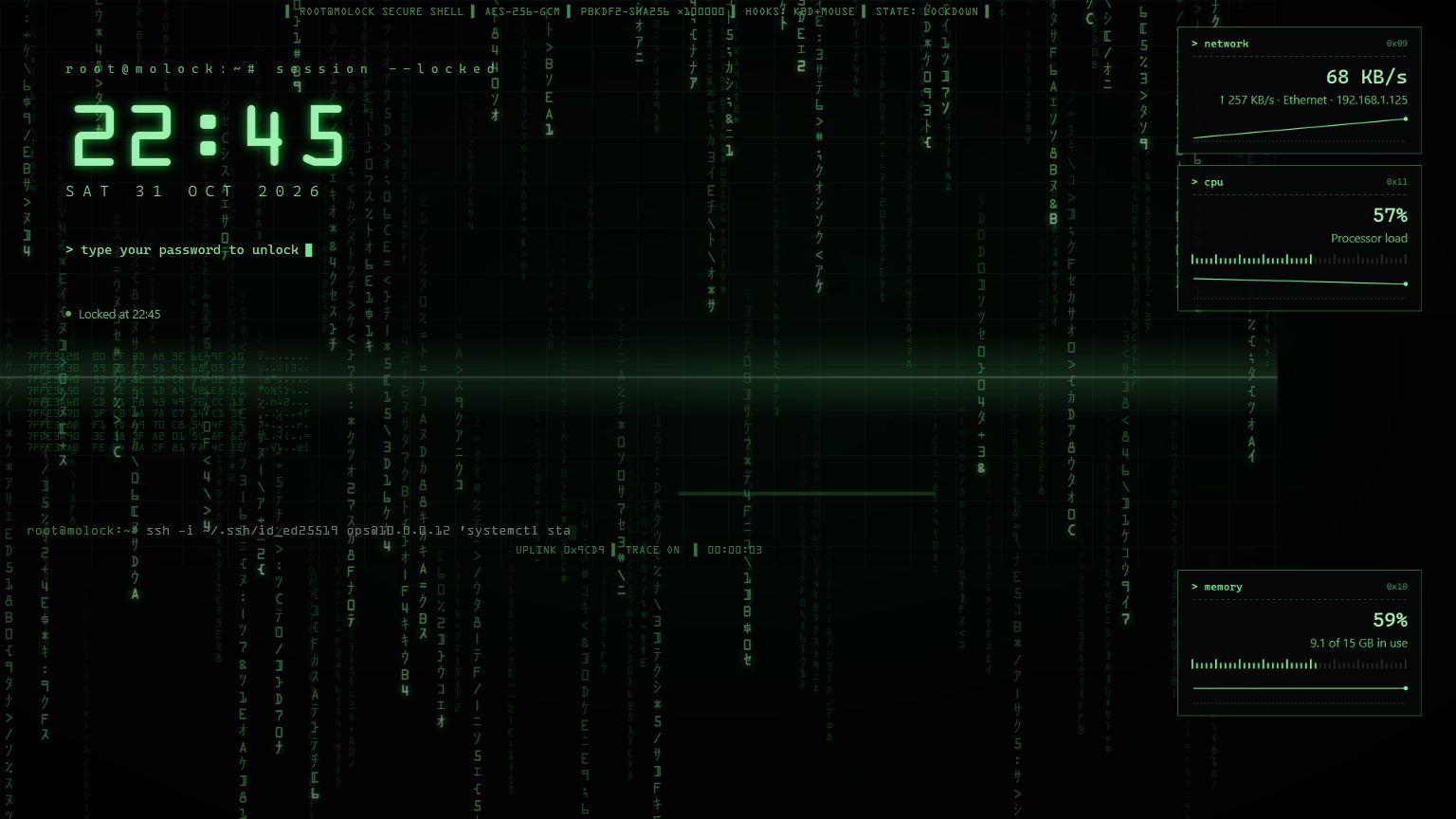
  • Type-anywhere unlockType your password at any moment to unlock; its length is never shown.
  • Recovery codeCreated at setup to get back in if you forget your password.
  • Authenticator codesUnlock with a one-time code from an app such as Google Authenticator.
  • Duress passwordUnlocks normally for whoever forces you, while a silent alert with a photo reaches you.
  • Trusted USB keyUnlocks with your trusted USB stick and can lock when it is removed.
  • Bluetooth phoneUnlocks while your trusted device is connected and locks when you walk away.
  • Unlock from TelegramAn Unlock button in Telegram or /unlock, when you allow it.
  • Secret quick unlockA hidden corner gesture only you know unlocks without typing — and every use is reported to your Telegram. Off until you turn it on.
  • Emergency shortcutsConfigurable emergency unlock and exit shortcuts — or turn them off — so you are never locked out.
The MoLock lock screen in the 1337 hacker theme

12 / 2810 capabilities

MoLock Remote — your PC in any browser

Full control of your PC from your account in any browser, phones included: see the screen and use the mouse and keyboard — end-to-end encrypted, with a visible indicator on the PC for the whole session.

  • Full control from a browserScreen, mouse and keyboard from your account — no extra app and no second approval; signing in is enough.
  • Built for phones and tabletsTrackpad or direct-touch mode, pinch-zoom, and the keyboard with a bar of special keys and shortcuts.
  • End-to-end encryptedFresh keys for every session, the PC proves its identity with its own key and the relay only passes sealed messages — plus an optional 6-digit safety code.
  • Multi-monitor, adaptive qualitySwitch between monitors and choose Auto, Saver, Balanced, Sharp or Text.
  • Files & clipboardBrowse the PC's folders, download and upload files, and sync copied text both ways.
  • Curtain mode & block inputThe PC shows a cover that never appears in your stream, and local mouse and keyboard can be ignored for a while.
  • Unlock & lock from the sessionUnlock MoLock once or lock it; every unlock is logged and announced by the bot.
  • Session recordingIn the browser to download or save encrypted to My files, or on the PC as an MP4.
  • Never hiddenAn indicator on the PC, a Telegram message with an End session button, and every session in your account log with End all sessions.
  • Always your callTurn it off in the PC's Settings or per PC from your account, and end any session at the PC with one shortcut.

MoLock Remote in detail

The MoLock Remote viewer in a browser

13 / 2813 capabilitiesUpgraded in 2.9

MoLock Account, dashboard & the official bot

One account for all your PCs: sign in with your password and a code from the official Telegram bot, control any PC, find a lost one and approve an unlock from your phone.

  • One account, every PCEvery linked PC in one place — status, battery, health and last seen — from any browser.
  • Dashboard firstNew in 2.9: every feature has a page with its state, history and settings; the PC and the bot follow what you decide.
  • Passkeys & one-tap approvalSign in with your fingerprint or one "It's me" tap in Telegram — remembered browsers for 90 days and recovery codes. The 6-digit code stays as a fallback.
  • Notification preferences & quiet hoursChoose per kind what reaches the bot and at what level, and silence the night — security alerts always arrive.
  • An official bot that works while the PC is offShows your PCs and files and takes your commands even when a PC is off — then delivers them the moment it is back online.
  • Link a PC in secondsScan a QR with your phone and approve, or send a short code to the official bot with /link.
  • Remote control from the accountLock, photo, screenshot, siren, on-screen message, restart or shut down, and locate.
  • Full remote desktopNew in 2.9: open a MoLock Remote session to any linked PC, with a session log and an End all sessions button.
  • Lost modeLocks the PC, shows your contact message on the lock screen and takes photos at the interval you choose.
  • Find my PCYour PC's approximate location whenever it is online, and when it was last seen while it is off.
  • Approve unlock from your phoneA "Request access from the owner" button on the lock screen — you choose "Allow once" or "Deny".
  • Files & encrypted share linksMove files between your phone and your PC, and share any file with a link whose key lives only in the link.
  • Every action reportedEvery sign-in, every remote action and every newly linked PC is announced by the official bot.

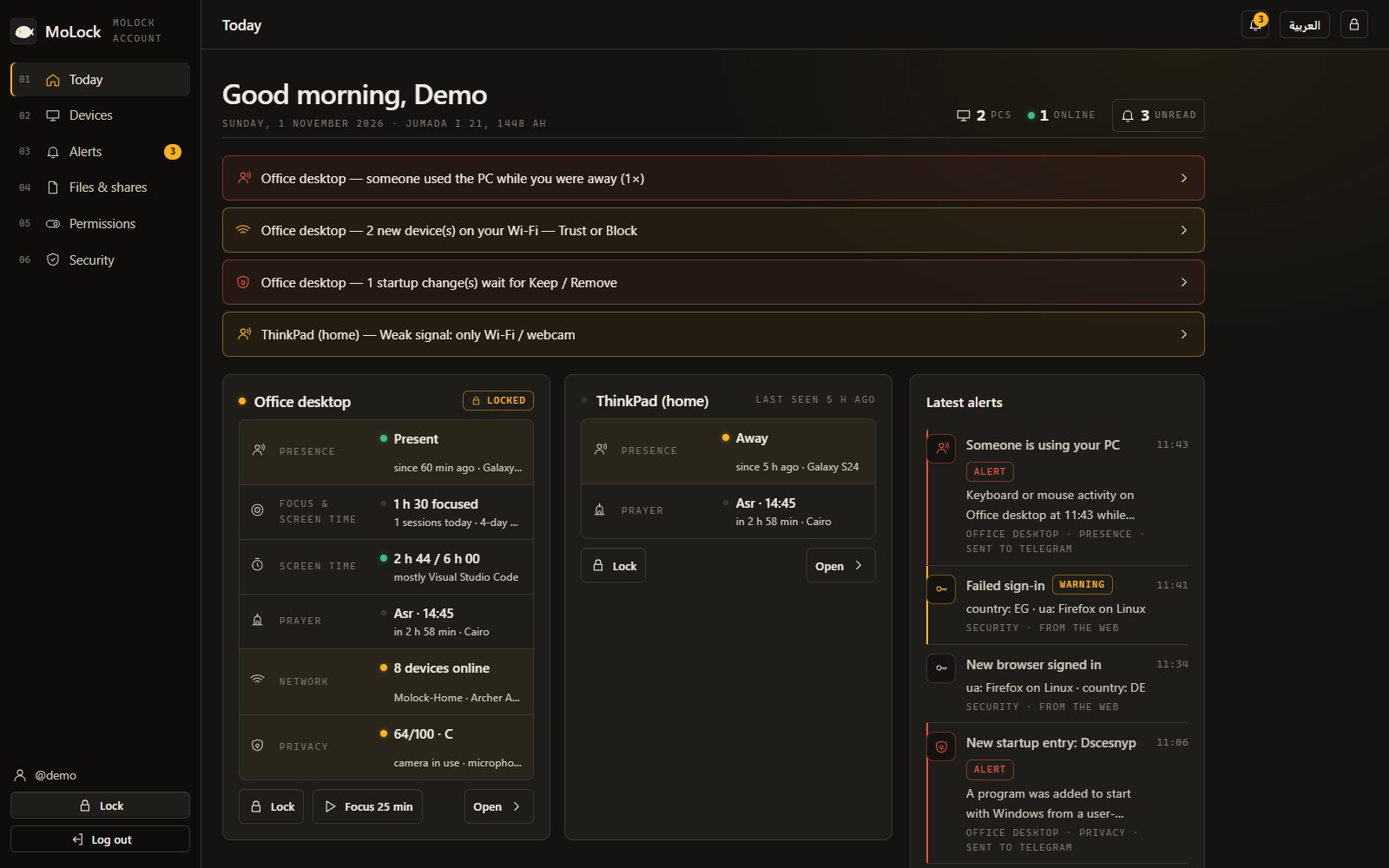
The dashboard and the new sign-in in detail

The MoLock Account dashboard, Today: alerts and every PC with its features at a glance

14 / 289 capabilities

Smart right-click tools

Right-click any file to compress, convert, encrypt or share it — no extra apps, and no uploading to unknown websites.

  • Compress images with a quality sliderSee the resulting size before you save and pick your balance of quality and size.
  • Resize & convertResize one image or many at once, and convert between common formats.
  • Strip location from photosRemove the location hidden inside a photo before you share it.
  • PDF from imagesTurn photos of documents into one tidy PDF.
  • Video & audioConvert and compress video and audio, or make a GIF from a clip.
  • File fingerprintsCheck that a file you downloaded is exactly the original, unchanged.
  • Encrypt with a passwordLock any file with a password before you send or store it.
  • ShredDelete sensitive files so they are very hard to recover.
  • Share linkAn encrypted link with an expiry, an optional password and a download limit.

Every tool in detail

15 / 289 capabilitiesUpgraded in 2.9

Screenshot & screen recording

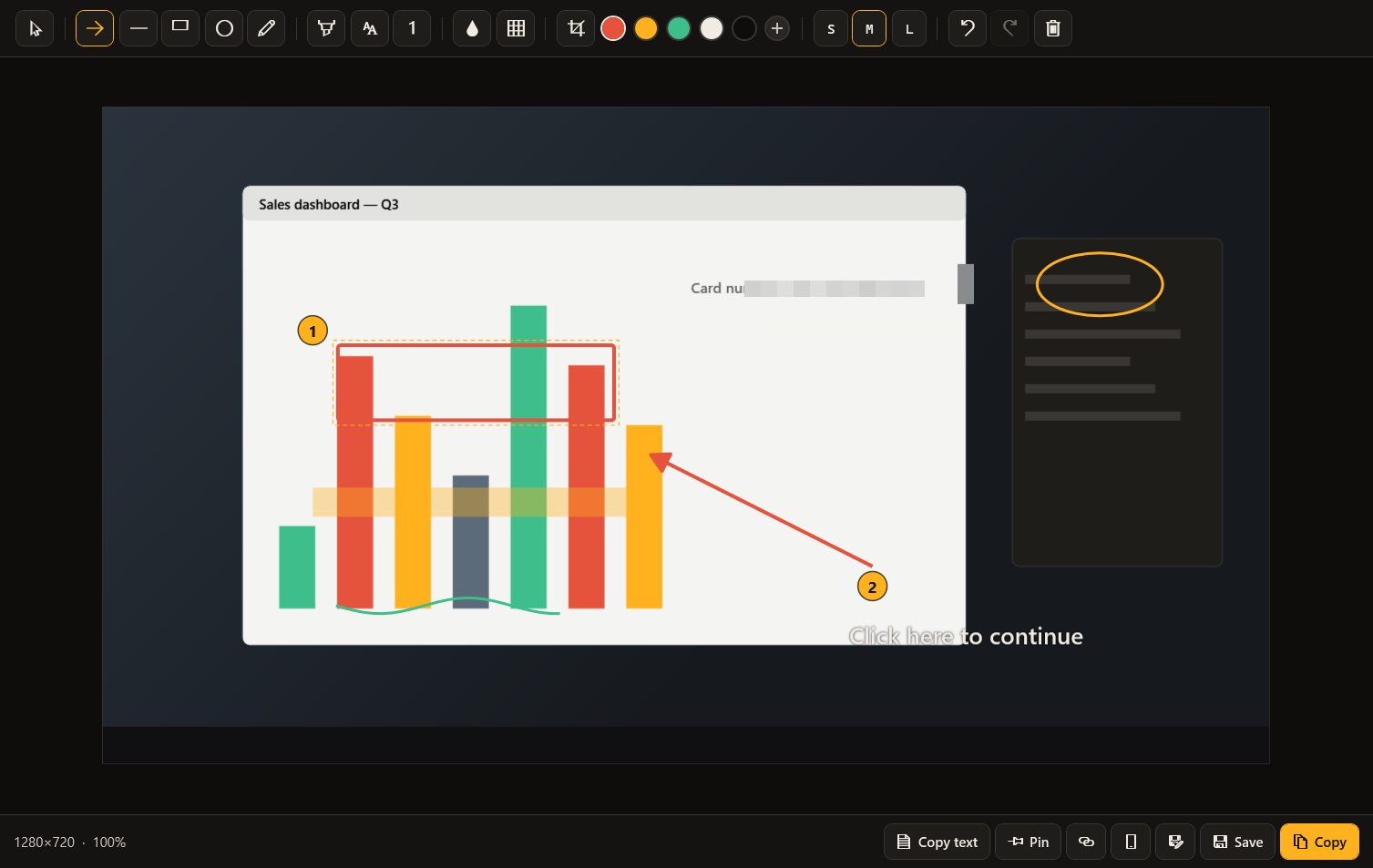
PrintScreen opens the MoLock tool: precise selection with a magnifier, an editor with arrows, shapes, numbered steps and real blur, pin-to-screen and Copy text — or record the screen as video or GIF.

  • Replaces PrintScreenA region, a window or the whole screen — and you can give the key back to Windows in Settings any time.
  • Magnifier & snapping selectorPixel-exact edges: the selection snaps to windows and elements, and the magnifier shows what is under the pointer.
  • Arrows, shapes, text & numbered stepsExplain clearly: 1, then 2, then 3 — ideal for how-tos and support requests.
  • Real blur & pixelateThe pixels are replaced in the saved image itself, so a number can't be revealed by removing a layer.
  • CropKeep only what matters before you save or share.
  • Pin to screenThe capture floats above every window while you type or compare.
  • Copy textPull Arabic and English text out of any capture onto the clipboard.
  • Record video or GIFCountdown, pause, microphone or system audio, click highlights — and the control bar stays out of the recording.
  • Copy, save or shareTo the clipboard, to a file or as an encrypted share link.
The MoLock capture editor

16 / 288 capabilitiesUpgraded in 2.9

Advanced clipboard & sticky notes

Everything you copy in one searchable history you can pin from, and sticky notes on your desktop that sync with your account — without ever storing sensitive data.

  • Clipboard historyText, links and images you copied, ready to paste again.
  • Pins & snippetsYour address and frequent replies, one click away.
  • Text transformsChange case, clean formatting and trim spaces.
  • Arabic/English layout fixTyped Arabic with the keyboard on English (or the reverse)? Fixed in one click.
  • Phone ⇄ PCNew in 2.9: send text or a link from your account on the phone straight to the PC's clipboard, and what you copy on the PC shows up on your phone — end-to-end encrypted.
  • Sensitive data never storedAnything that looks like a password or a card number stays out of the history.
  • Desktop sticky notesWith colours and reminders, on top or collapsed, on the screen you choose.
  • Synced notesYour sticky notes appear, encrypted, in your account and stay where you put them on your PC.

17 / 285 capabilities

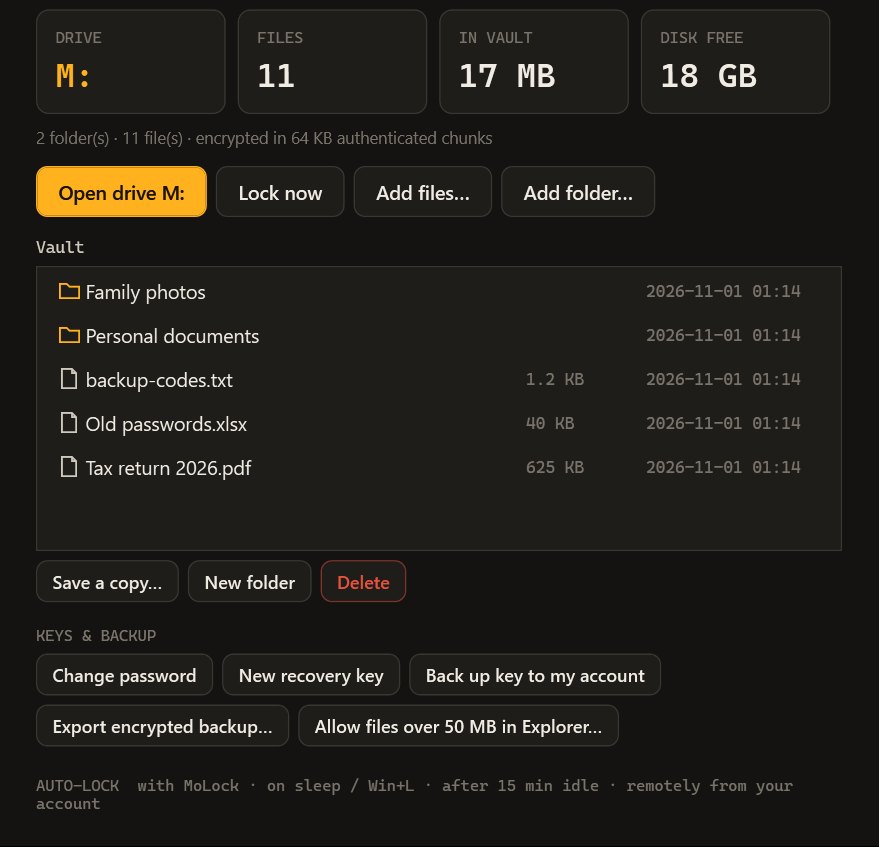
MoLock Vault

An encrypted drive in This PC: open it with your password, and it locks itself together with MoLock.

  • A drive in This PCUse it like any drive: open and save files as usual.
  • Fully encryptedWhat is inside is unreadable without your password.
  • Locks with MoLockWith the screen lock, on sleep or Win+L, and after an idle time you choose.
  • Lock it remotelyFrom your account or the bot if you left it open — and every unlock or wrong password is reported to you.
  • Recovery key & backupsA recovery key shown once, an encrypted key backup to your account and an encrypted export.
The MoLock Vault window: the drive, the files and backups

18 / 284 capabilities

PC health & daily brief

A security score out of 100 with clear tips to fix what is missing, and a morning brief with the weather, your reminders and what happened overnight.

  • Security scoreWindows Security, firewall, drive encryption and updates — in one number.
  • Space & temporary filesFree space and temporary-file size, with one-click clean-up.
  • Startup appsHow many programs start with Windows and slow it down.
  • Daily briefWeather, today's reminders and to-dos and overnight attempts — on the lock screen or in Telegram at a time you choose.

19 / 289 capabilities

Notes, reminders & unlock history

Your notes, to-dos, reminders and unlock history with photos — on your PC and in your account from any browser, end-to-end encrypted and readable only by you.

  • From any browserOpen them from a phone or any computer in your MoLock Account (or the 2.6 portal until you link your PC).
  • End-to-end encryptedEverything is encrypted on your PC before it leaves and decrypted only on your PC or in your browser after you sign in.
  • Unlock history with photosEvery attempt — wrong, correct, secret or from Telegram — with its time and photo, kept for 30 days.
  • Every sign-in reportedEvery sign-in to your portal, allowed or denied, is reported to your Telegram.
  • NotesWrite them on the PC, in the portal or with /note.
  • To-dosTasks with priorities and due dates, ticked off from anywhere.
  • Reminders with soundsOnce, daily, on weekdays, weekly or monthly, with the sound you choose.
  • Even on the lock screenA reminder appears as a banner over the lock screen, and a copy can go to Telegram.
  • Works offline firstEverything works on your PC without a connection and syncs as soon as you are back online.

The portal in detail, with security

20 / 288 capabilities

Auto-lock rules

MoLock locks at the right moment — and steps aside when you need it to.

  • After inactivityWith a countdown warning before it locks.
  • At sign-inLocks as soon as Windows starts, if you choose.
  • On a scheduleFixed lock times, such as the end of the working day.
  • When your phone leavesLocks when the trusted Bluetooth device disconnects.
  • When the USB key is removedPull out your trusted USB stick to lock.
  • Trusted Wi-FiNo idle-locking while you are on your trusted network.
  • Panic keyOne shortcut locks, blanks the screen and sends an alert.
  • Flexible pauseFrom 5 minutes to 7 days, and automatically during full-screen films, games and presentations.

21 / 288 capabilities

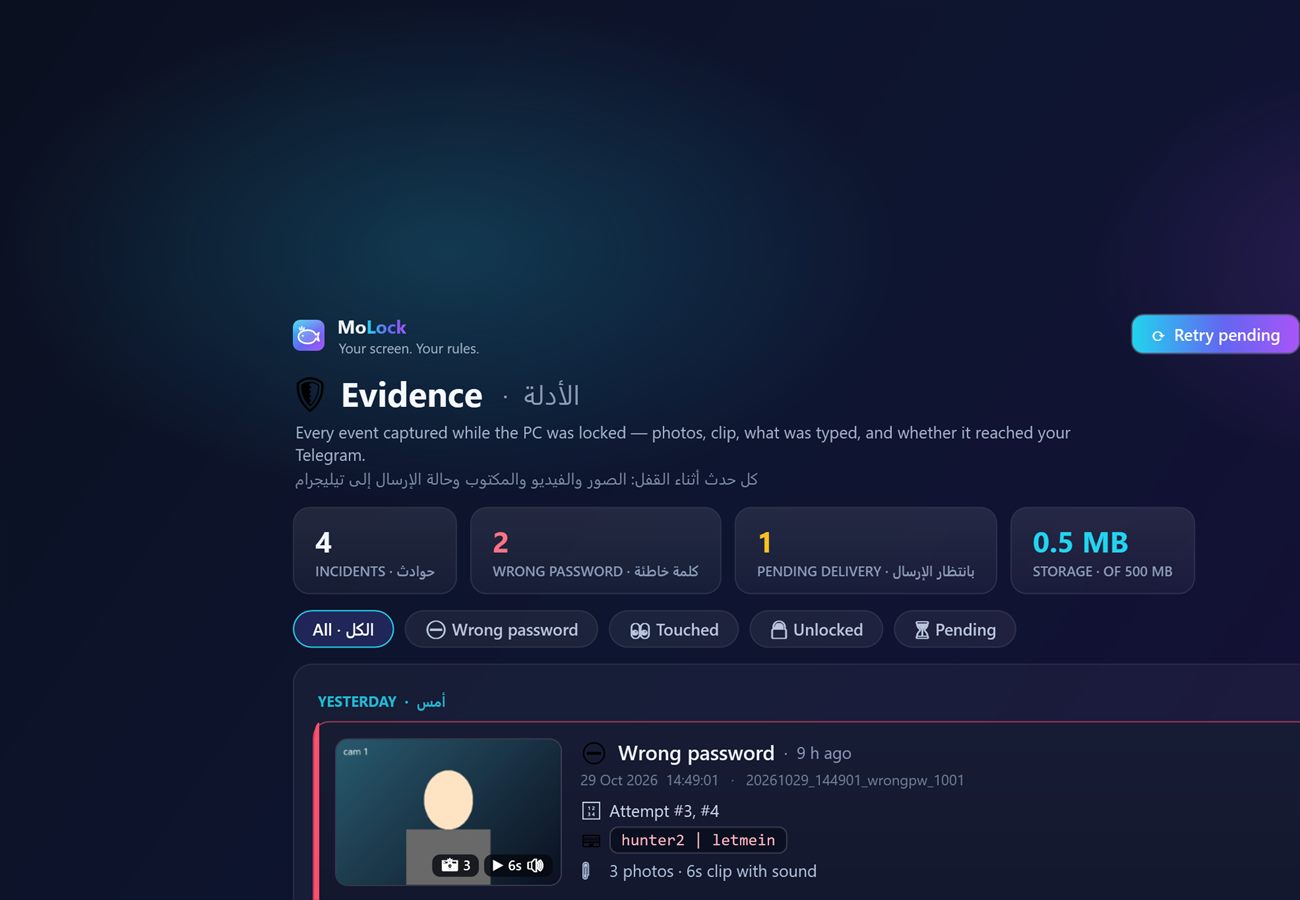
Intruder capture & evidence

Every wrong attempt becomes a complete evidence report, delivered to your phone as one message.

  • Photo burstSeveral consecutive photos of whoever is at the PC.
  • Video clip with soundFalls back to silent video or audio-only if the camera is busy.
  • Location & screenshotA precise map pin and a capture of the lock screen.
  • What was typedSee exactly what was tried.
  • Nothing is lostOffline? Evidence is queued and sent when you are back online.
  • Evidence timelinePlay, open and delete each incident, with delivery status and adjustable retention.
  • Encrypted storageSnapshots kept on your PC can be encrypted.
  • Extra channelsOptional Google Drive upload and WhatsApp text alerts.
The MoLock evidence timeline: incidents with photos and video

22 / 286 capabilities

Motion detection & tamper alerts

Eyes on your locked PC: MoLock knows when someone approaches — and when someone tries to stop it.

  • Camera motion detectionMovement in front of the camera sends a photo to Telegram in about a second, with buttons for another photo, a video, a siren or OK.
  • Adjustable sensitivitySet the sensitivity and the minimum time between alerts; lighting changes are ignored.
  • Instant cameraThe camera warms up the moment the screen locks for an instant first photo, and its light switches off when not needed.
  • Touch alertMoving the mouse or pressing a key triggers the same alert.
  • Tamper alertsA wrong password when closing, pausing or opening Settings — or ending it from Task Manager — sends an alert with a photo.
  • Lock after failed triesThree wrong tries lock the screen, and MoLock comes back locked if it was locked.
MoLock Botbot · private to you
  1. Illustrative motion-alert photoSomeone approached your PC
    Locked for 25 minutes
    Motion in front of the camera
    Another photoVideoSirenOK
  2. Someone tried to close MoLock with a wrong password
    Photo attached

23 / 289 capabilities

Kill-resistance & hardening

Built to keep running when you need it — and to stop only when you decide.

  • GuardianIf MoLock is forced closed, it starts again on its own.
  • Optional guard serviceAn extra layer that starts with Windows.
  • Protected settingsOpening Settings or exiting requires your password.
  • System keys blockedTask Manager and Ctrl+Alt+Del options are blocked only while locked and always restored.
  • Never freezesMouse and keyboard stay responsive even when Windows locks on top.
  • Every monitorCovers every connected display and can be excluded from screen capture.
  • Decoy screensDisguise the lock as a Windows update, a shutdown or "No signal".
  • Lockout after attemptsA cooldown after repeated attempts, with an optional action such as sign-out or shutdown.
  • Close means closedWhen you close it yourself it stays closed: "until I open it" or "until next sign-in".
MoLock Settings

24 / 2810 capabilities

Telegram remote control

A private bot that answers only you — a control panel with six sections and 80+ commands, still reachable after you close the app.

  • Lock & protectionLock and unlock, Windows lock, screen off, lock timers and a lock-screen message.
  • Protection alertsApproach and tamper alerts with instant buttons, and /siren for a loud alarm.
  • Camera & evidencePhoto, silent photo, video, microphone, live view and who is at the PC.
  • Screen & controlScreenshots and recordings, live control, clicks and typing, media, volume, brightness and clipboard.
  • Device & locationBattery, temperatures, apps and network — plus the location on a map or tracked periodically.
  • Files & programsBrowse, download and upload files, open links and close programs.
  • PowerSleep, hibernate, restart, timed shutdown and cancel.
  • Notes, to-dos & reminders/note, /todo, /remind and /portal, straight from your phone.
  • Stays reachable when closedClosing MoLock keeps it quietly in the background so the bot still answers — or choose a full exit.
  • App & passwordPause, a new password whose messages delete themselves, updates and quick settings.

Telegram control examples

MoLock Botbot · private to you
  1. /where
  2. Device location
    Cairo, Egypt · about 20 m accuracy
  3. /remind 18:30 Call the accountant
  4. Reminder set for 18:30 today — it will show even on the lock screen.

25 / 287 capabilities

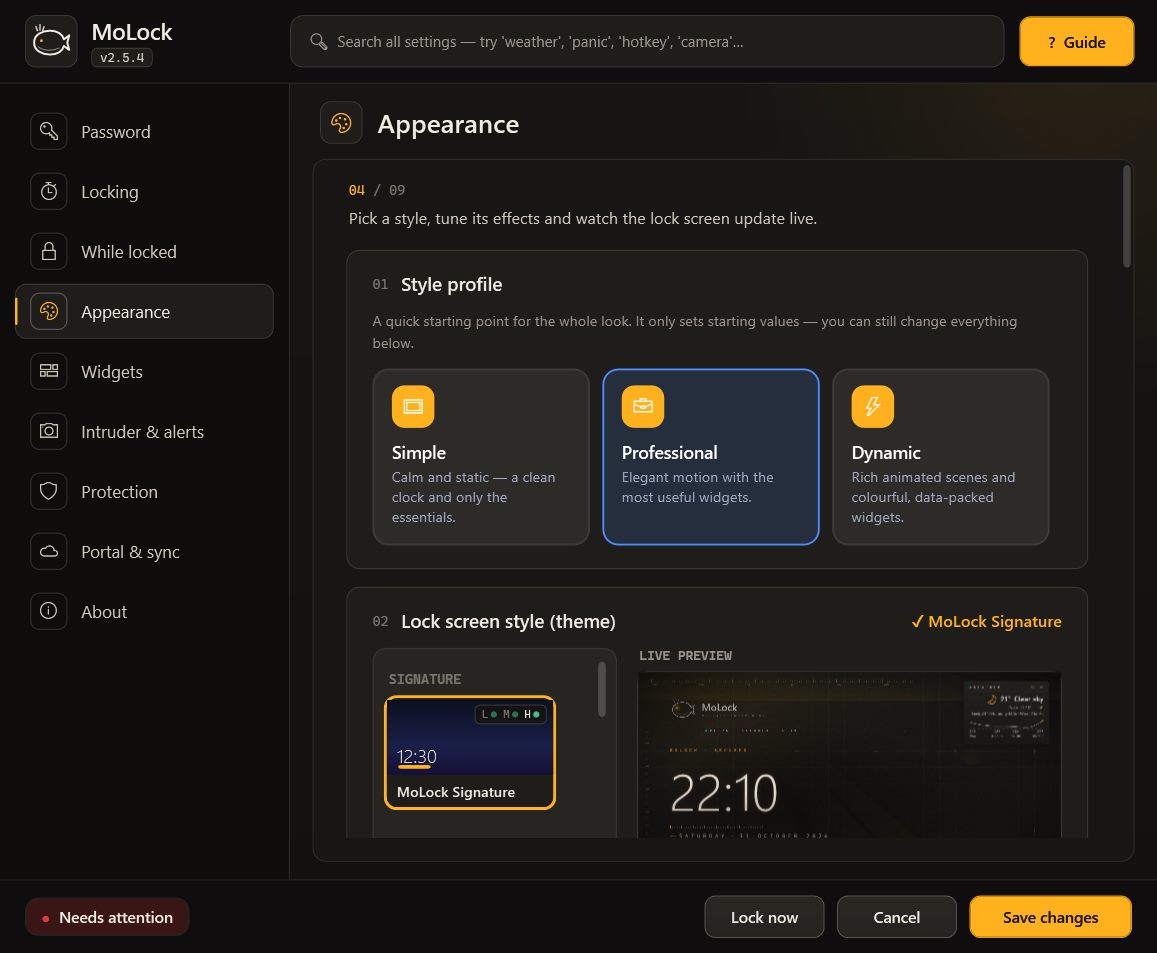
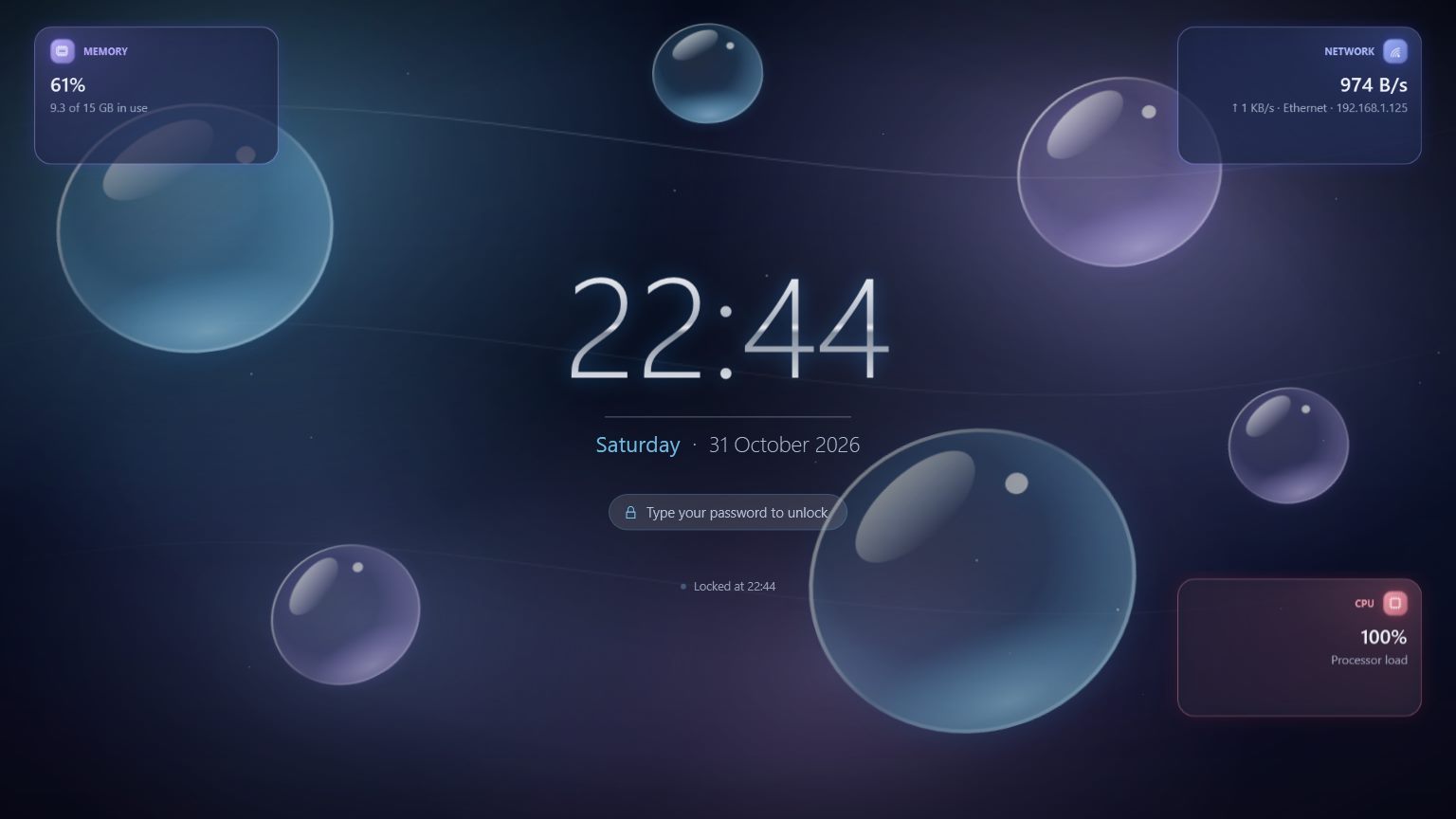
Themes & appearance

35 animated themes, including five new premium scenes, with full control over every effect.

  • A complete redesignRedesigned themes and customisable widgets in the new graphite-and-amber identity.
  • 35 animated themesFrom aurora and deep space to hacker, neon and sakura.
  • Per-theme effectsIntensity, particle density, speed, accent colour and glow, with a live preview.
  • Three style profilesSimple, Professional or Dynamic, with live previews.
  • Your own backgroundAn image, video, slideshow, animated GIF or a blurred desktop.
  • Clock effectsDigital or analog, with your choice of effect, motion and position.
  • Unlock animationsMatrix, Hacker, Glitch, Fingerprint, Access Granted, Radar, Particles, Typewriter.
The MoLock lock screen in the premium Liquid Glass theme

26 / 286 capabilities

Performance

Lightweight by design, with lock-screen effect levels and performance modes for any PC.

  • Effect levelsAuto, Light, Medium or Heavy — Heavy is recommended for PCs with a dedicated graphics card; Auto picks for your PC.
  • FullEvery effect at full quality and frame rate.
  • Balanced (default)The same look with fewer particles and a gentler frame rate — far lighter.
  • LightReduced motion everywhere — ideal for modest hardware and remote sessions.
  • SaverA static background with no animation, for the lightest possible footprint.
  • Lighter themes in 2.5Signature is about twice as light and the hacker themes three to four times lighter — same look.

27 / 284 capabilities

Updates & announcements

Every update and announcement is digitally signed; the app rejects anything that isn't from us.

  • Silent verified updatesDownloaded and verified in the background, never installed while locked, with automatic roll-back.
  • Update from Telegram/update shows what's new and the progress, and installs after verification — even while locked.
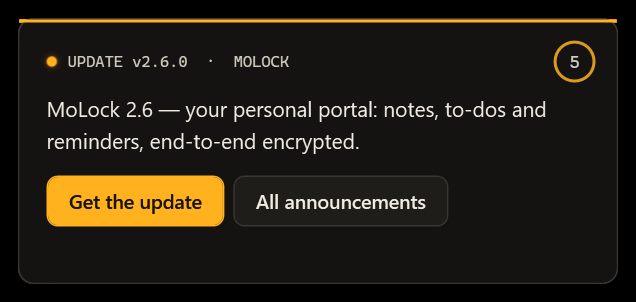
  • Considerate announcementsA small corner card — never over the lock screen or a full-screen app.
  • Feedback with repliesSend a problem or suggestion from the app; the reply appears on your PC.
A signed announcement card in the corner of the screen

28 / 285 capabilities

Languages, setup & repair

A polished experience from the first click to removal.

  • Arabic & EnglishA complete interface in both languages; widgets read right-to-left in Arabic.
  • A complete installerOne flow for your password, the lock-screen look, the monitoring style and your Telegram bot.
  • Redesigned SettingsA description on every page, grouped cards, an Advanced section and search that finds any option.
  • MoLock FixRepairs Task Manager and the mouse, shows what it will remove first and keeps a log.
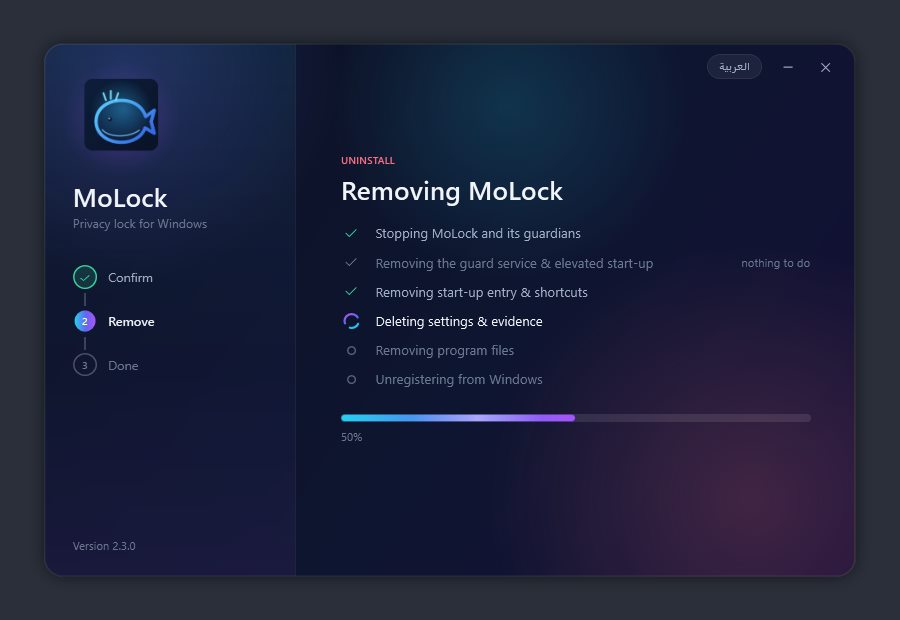
  • Clean uninstallKeep or remove your data; only MoLock's own files are removed.
The MoLock uninstaller with the keep-your-data choice

01 / 05Widgets

37 widgets. Fully bilingual.

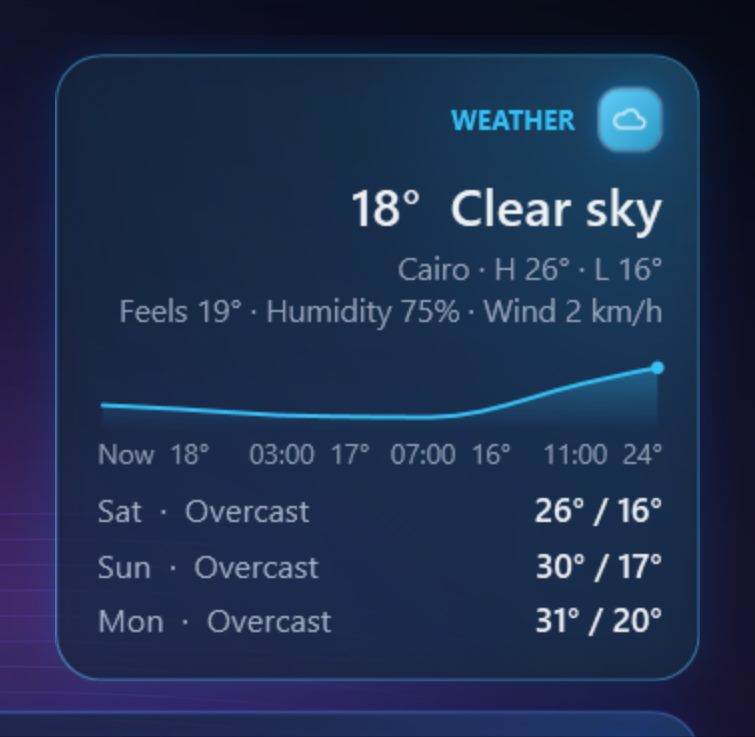
Real captures from the lock screen. Each widget has its own size, position and refresh rate, all set in Settings.

  • Weather with an hourly chart
    W-01Weather with an hourly chartFeels-like temperature, humidity, wind and the forecast.
  • All five prayers, with a countdown
    W-02All five prayers, with a countdownPlus the time remaining until the next prayer.
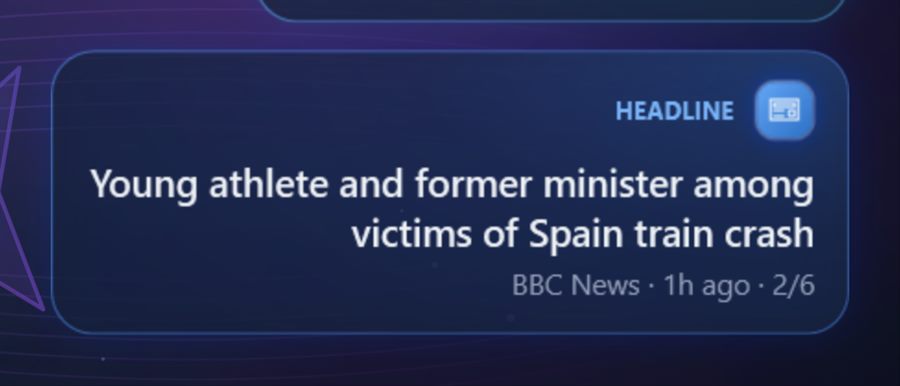
  • Rotating headlines
    W-03Rotating headlinesIn Arabic or English, from the sources you choose.
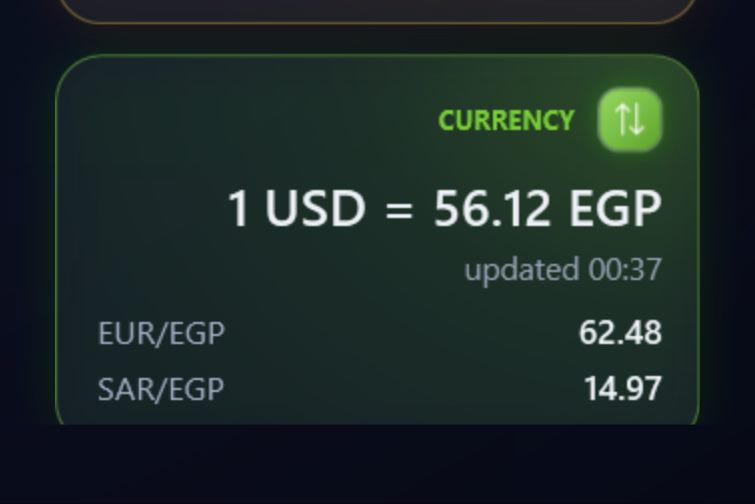
  • Currencies & crypto
    W-04Currencies & cryptoSeveral rates on a single card.
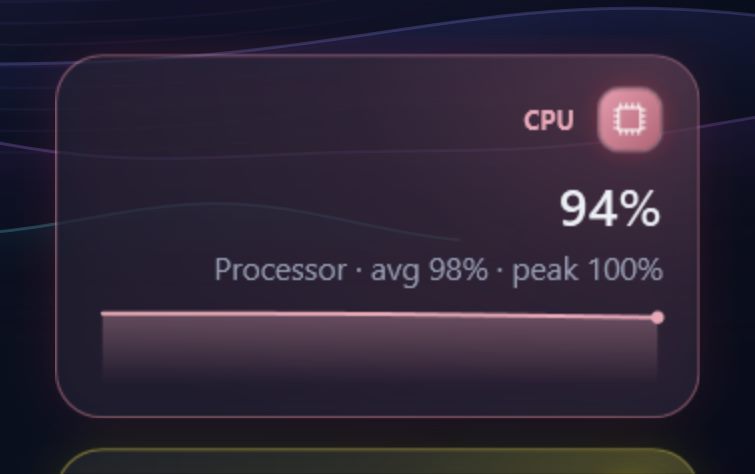
  • Live system charts
    W-05Live system chartsCPU, RAM, network and battery, moment by moment.
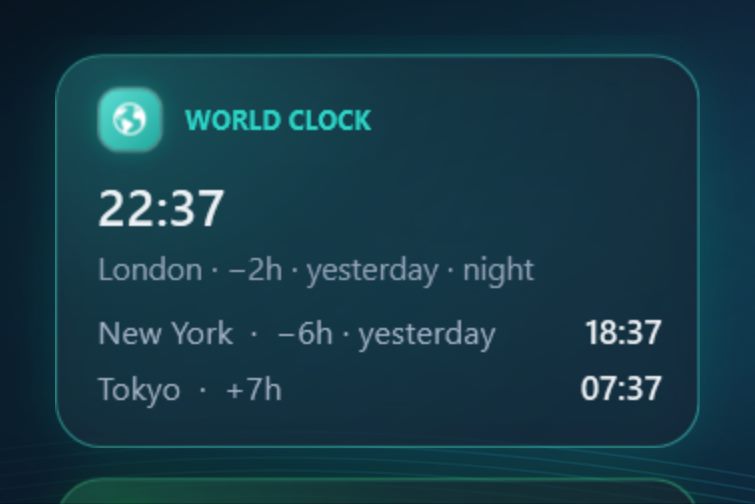
  • World clocks
    W-06World clocksSeveral cities side by side.
Every widget and what it shows
WidgetWhat it shows
Clock & dateDigital or analog, optional seconds.
WeatherFeels-like, humidity, wind and an hourly chart.
ForecastThe coming days at a glance.
Prayer timesAll five prayers with a countdown.
Hijri dateAlongside the Gregorian date.
World clocksSeveral cities, plus a UTC clock.
News headlinesRotating Arabic or English headlines.
Exchange ratesSeveral currencies on one card.
CryptoThe coins you choose.
CPU & memoryLive history charts.
DiskUsed and free space.
NetworkActivity and connection.
BatteryLevel and charging.
TemperaturesCPU and graphics.
UptimeSince the last start.
CalendarYour upcoming events.
CountdownTo a date you choose.
Stopwatch & timerCount up or down.
PomodoroFocus and break cycles.
AlarmWith a sound you choose.
Day progressHow much of the day has passed.
Moon phaseThe current phase.
Sunrise & sunsetFor your city.
Air qualityThe local air-quality index.
Now playingWith album art.
NotificationsA summary of notifications.
QuoteA daily quote in your language.
FactA short, rotating fact.
On this dayFrom history.
Message boardYour messages, in rotation.
NoteAny text you like.
GreetingA time-of-day greeting.
QR codeFor a link or contact details.
StreakConsecutive days of use.
WeekendTime left until the weekend.
ProfileYour name and picture on screen.
Lock time"Locked at… · last unlocked…"

02 / 05Settings

Redesigned Settings

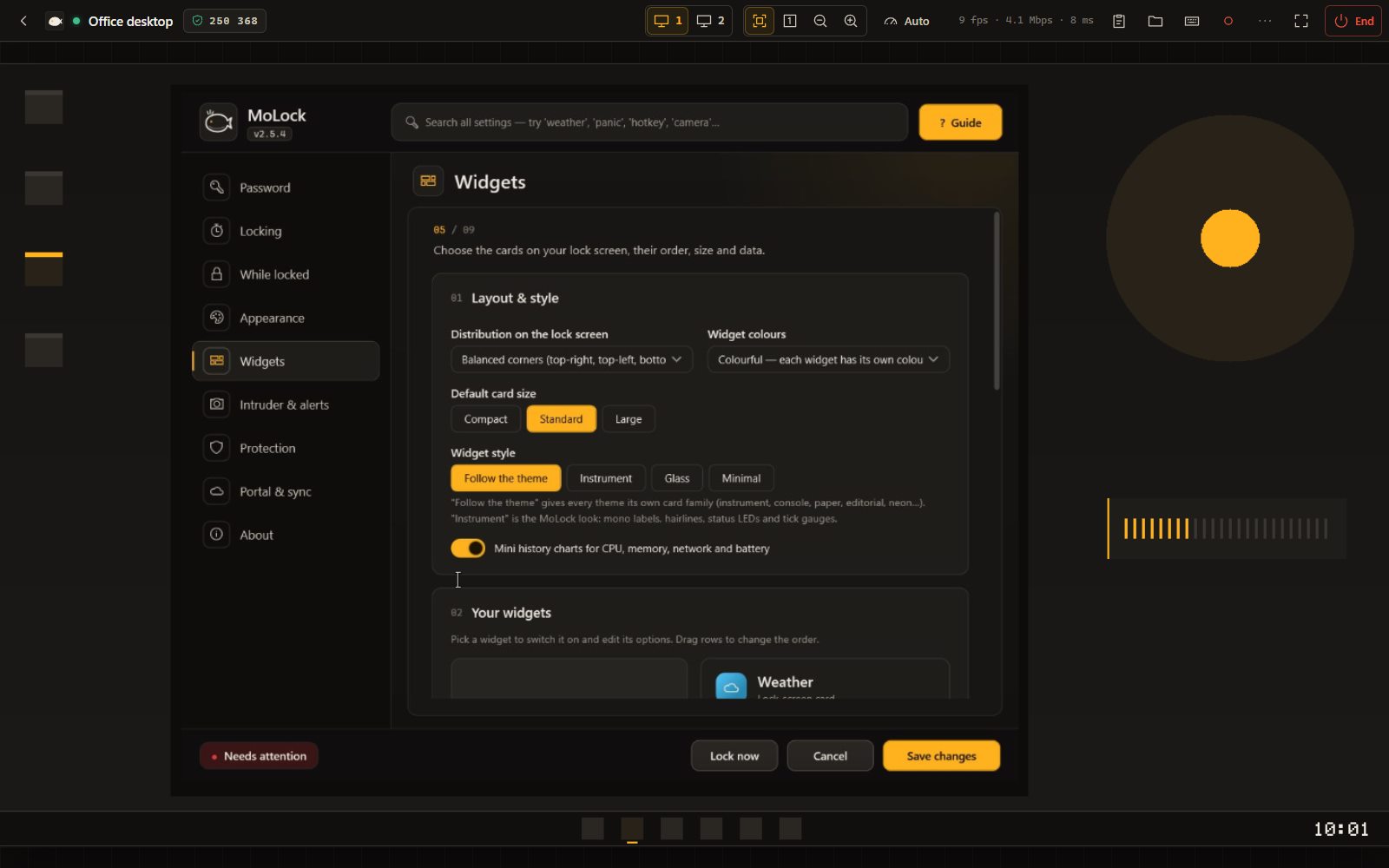
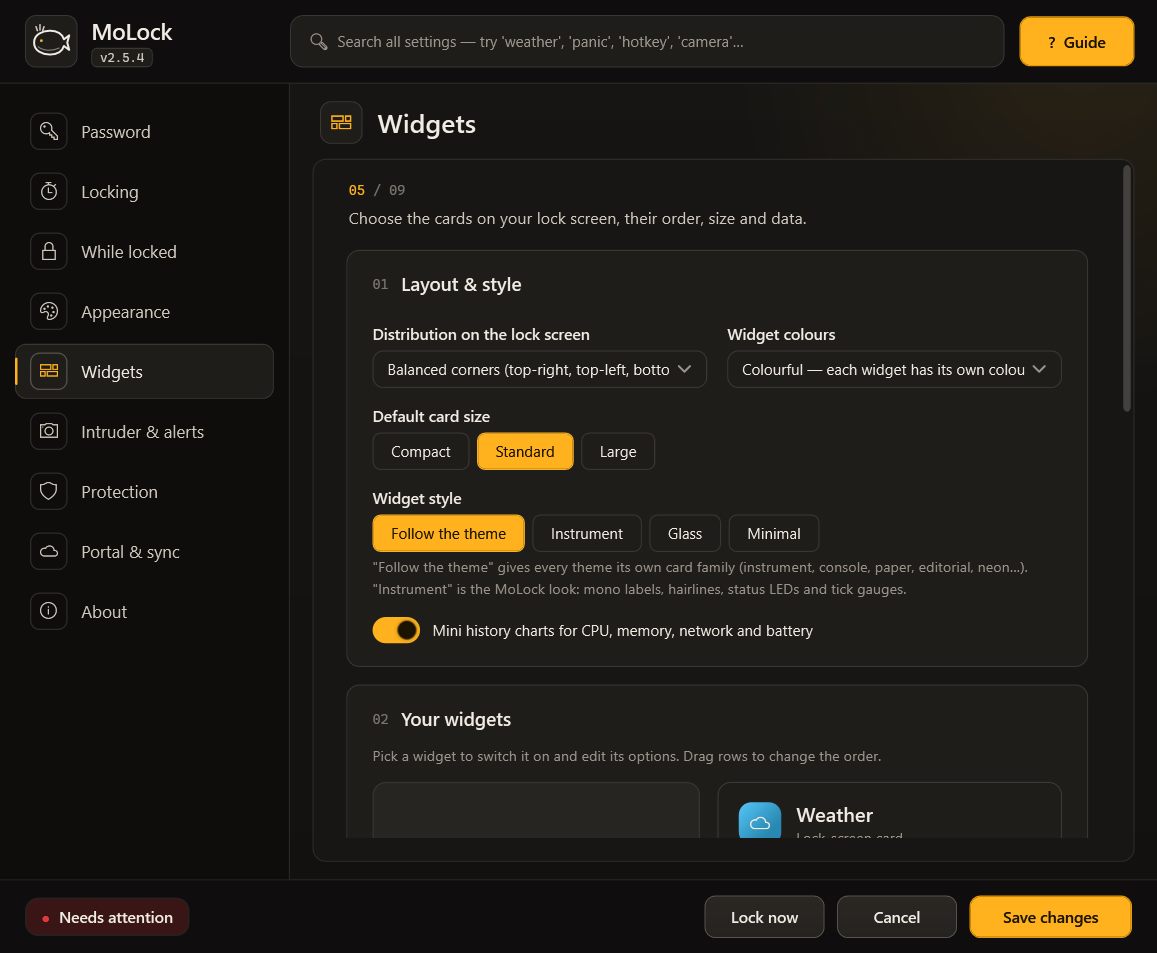
Every page has a short description, grouped cards and an Advanced section, fully in Arabic. Search reaches any option, even hidden ones.

The Widgets page in MoLock Settings

03 / 05Security & trust

Layered protection. Privacy first.

No jargon — exactly what protects your PC and your data.

  • Multiple layers of protection

    A password lock, a guardian that restores MoLock if someone closes it, protected settings and a photo of every attempt. Each layer reinforces the next.

  • Encrypted on your PC

    Your settings and evidence are protected with strong encryption, tied to your own Windows account on your own PC.

  • Your password never leaves your PC

    Your password is never stored as-is and never sent anywhere — not even to the developer.

  • Digitally signed updates

    Every update and announcement is digitally signed. MoLock rejects anything that does not come from us, so no one can push you a fake.

  • Privacy first

    You decide what is shared: one switch turns device stats off. We never send your files, your screen or anything you type.

  • No cookies, no ad trackers

    This website uses no cookies and no ad trackers, and never stores your IP address.

  • Works offline

    Locking and unlocking work without an internet connection. Evidence waits and is sent as soon as you are back online.

  • Never locked out

    A recovery code, password reset from Telegram, a built-in emergency unlock and a repair tool. There is always a way back in.

  • Tamper alerts

    If someone tries to close MoLock with a wrong password or end it from Task Manager, you get an instant alert with their photo. Three wrong tries lock the screen, and MoLock comes back locked.

  • A portal only you can read New

    Your notes, to-dos, reminders and unlock history with photos are encrypted on your PC before upload and open only with your portal password — not even the developer can read them.

  • Eyes on your locked PC

    Camera motion detection: the moment someone approaches your locked PC, their photo reaches Telegram in about a second. Changes in lighting do not trigger false alarms.

04 / 05Release log

New in 3.0

"7ot.app": one domain, your encrypted email, family controls, the pro converter, a harder-to-tamper install and alerts on your channel — with a real free plan and Premium. Every release is in the download page changelog.

  1. + ADD

    Your 7ot.app email

    A free name@7ot.app address, stored encrypted to your account key, with an inbox right in MoLock and on the web.

  2. + ADD

    Family & parental controls

    Daily limits, bedtime, blocked categories and "ask for more time" — approved from your phone.

  3. + ADD

    Pro converter

    Images, PDF, video, audio, office and archives — on your PC, in parallel, fastest path first.

  4. + ADD

    Safer install & launch password

    Program Files for every user, a password before Settings open, silent updates verified file by file.

  5. + ADD

    Push & email alerts

    Bot, web, push or email for every alert — with quiet hours. Telegram becomes optional.

  6. + ADD

    Free & Premium

    The essentials stay free. Premium adds room, family and pro tools with one serial for several PCs.

  7. ↑ IMP

    Remote: direct, guests, chat

    A faster direct connection, view-only guests by invite, session chat and clipboard images.

  8. ↑ IMP

    Adhan audio & hadith

    Full or short adhan with a choice of voices, online or offline times, and an optional hadith widget.

05 / 05Datasheet

Lightweight, compatible. Nothing extra required.

Operating system
Windows 10 & 11 (64-bit)
Download size
About 70 MB
Permissions
One administrator approval at install (Program Files); updates after that are silent and verified
Languages
English & Arabic
Connectivity
Locking and unlocking work offline; Telegram, weather and updates need a connection
Resource use
Lightweight, with adjustable performance modes and a reduced-motion option
Camera & microphone
Optional — for evidence and motion detection, and for presence and the shoulder-surfing guard if you turn them on (analysed on the PC, never stored)
MoLock Remote
Any modern browser, phones included · end-to-end encrypted · free
MoLock Account
Optional & free · end-to-end encrypted · sign-in with a passkey or one tap in Telegramcode
Price
Completely free — no ads, no subscription

Download MoLock — free

Download MoLock — free