What we're building now. And what you want next.
This is MoLock's real work board, live from our own planning. Vote for the items you care about and suggest what's missing — from the app, the dashboard or right here. We read every suggestion and answer it.
LiveUpdated from our board · no names next to votes
01 / 05Statuses
Four statuses. No empty promises.
- In progressIn progressBeing built right now — it may land in the next release.
- PlannedPlannedWe decided to build it in an upcoming release; a rough time is shown only when we are confident.
- ConsideringConsideringAn idea we are weighing with your votes and the effort it takes. Your vote matters most here.
- ShippedShippedNow in MoLock — with the version it shipped in. It stays visible for a year.
02 / 05How to suggest
Your idea is read. And answered.
- 01Step 1/4
Suggest
One idea in one line, with optional details: what problem would it solve? From the app, the dashboard or this page once signed in.
- 02Step 2/4
Similar ideas join
If someone already suggested the same idea, yours joins it — it grows, and the answer reaches everyone.
- 03Step 3/4
We answer you
Accepted (and added to the board), later, or not planned with the reason — in your notification centre and the app, and by bot or email if you like.
- 04Step 4/4
Follow and vote
One vote per account, which you can take back any time. We tell you when the feature starts or ships.
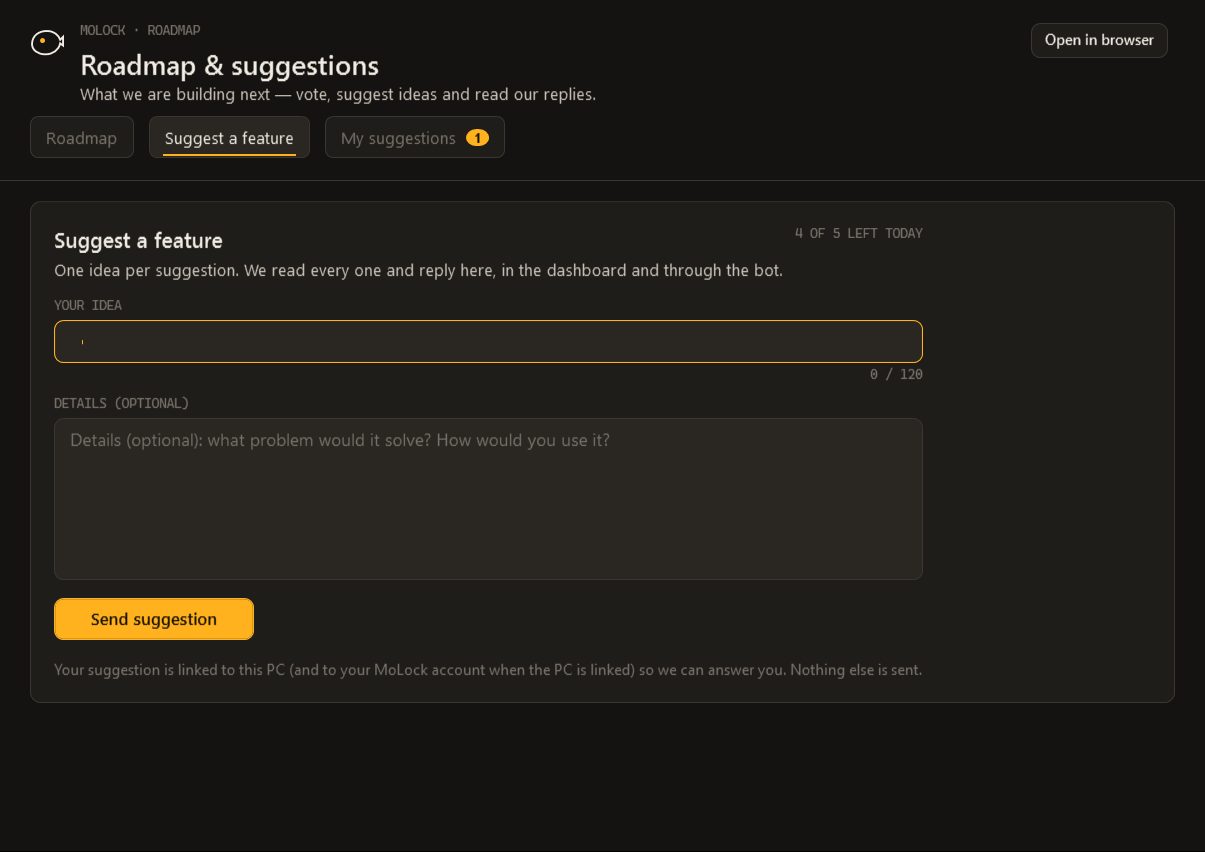
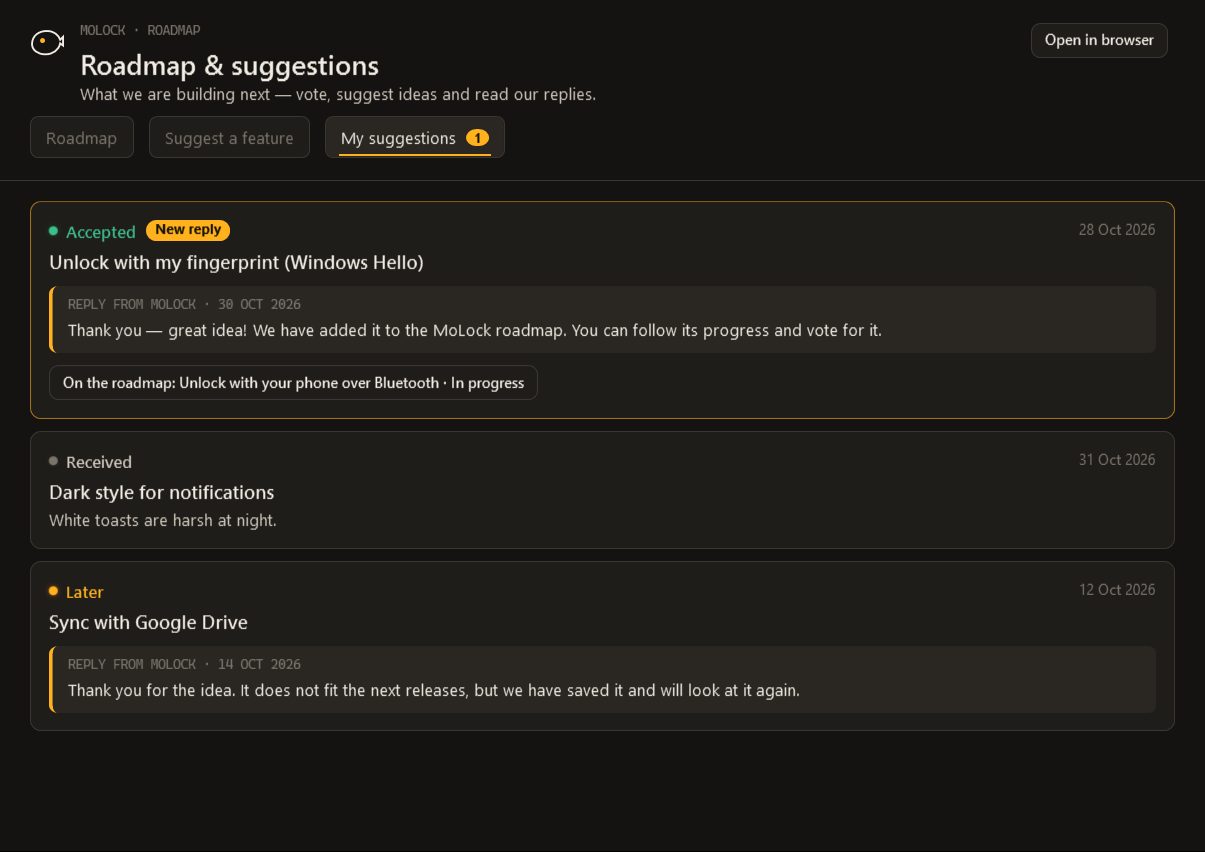
03 / 05In the app
The same board on your PC.
Open “Roadmap & suggestions” from the tray menu: vote, suggest and read the replies to your ideas — even without an account, the answer reaches you in the app.
- Crash reportsWhen the app crashes it sends a report scrubbed of names, paths and addresses, so we can fix the bug fast. You can turn it off.
- Usage statisticsDaily counts per feature only — so we know what deserves work. No content, no personal data, and you can turn it off.
- The two switchesSettings → About → Roadmap & feedback. Your PC's protection never depends on either. Exactly what is kept
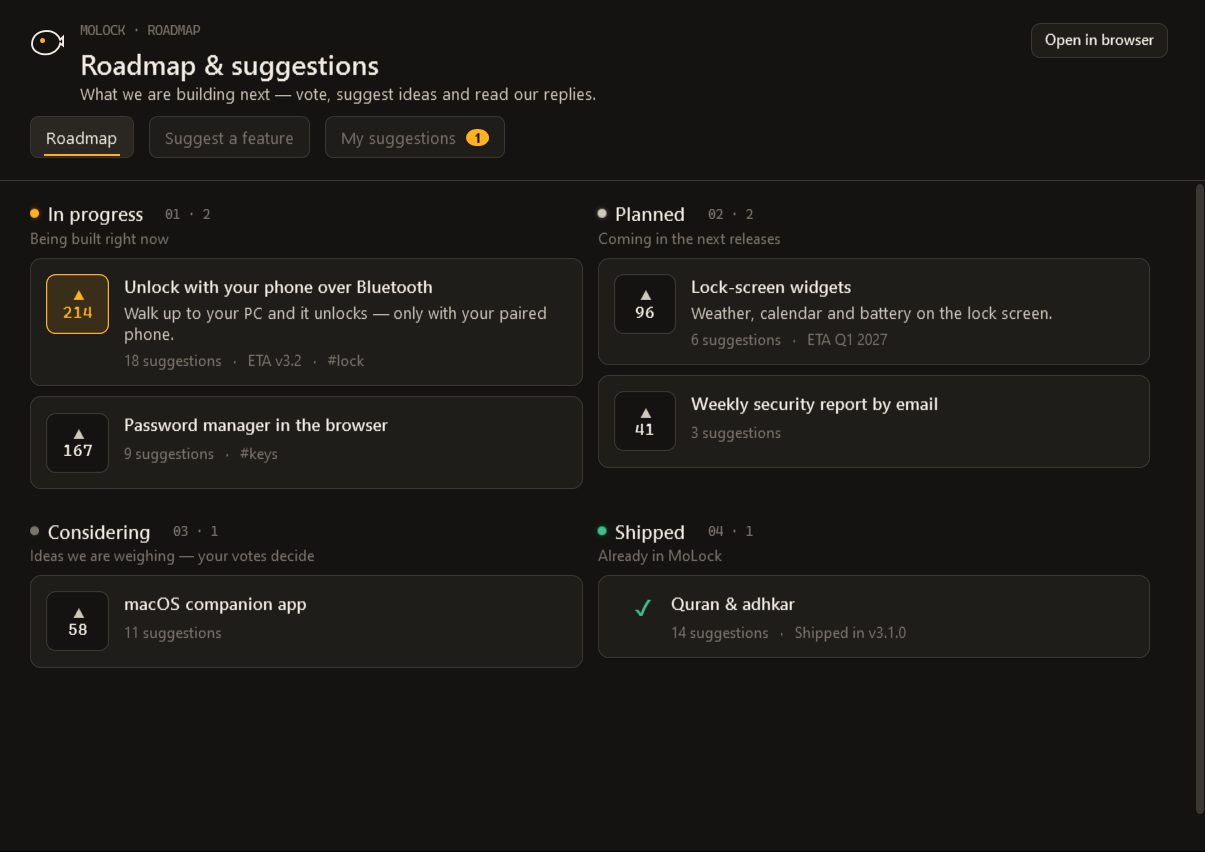
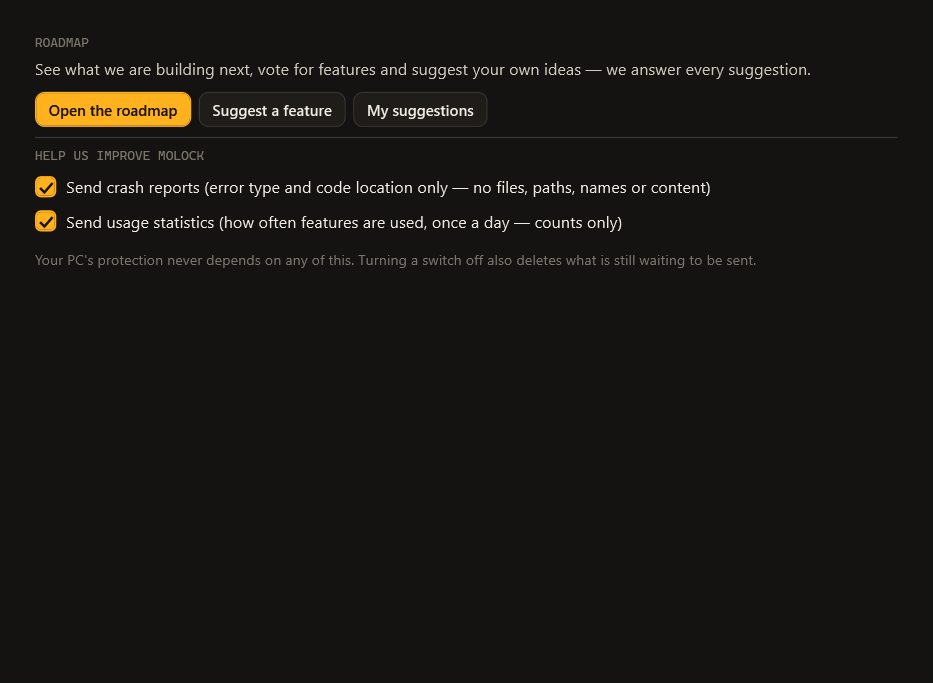
04 / 05Shipped in 3.1
From the board to your PC.
- New · 3.1
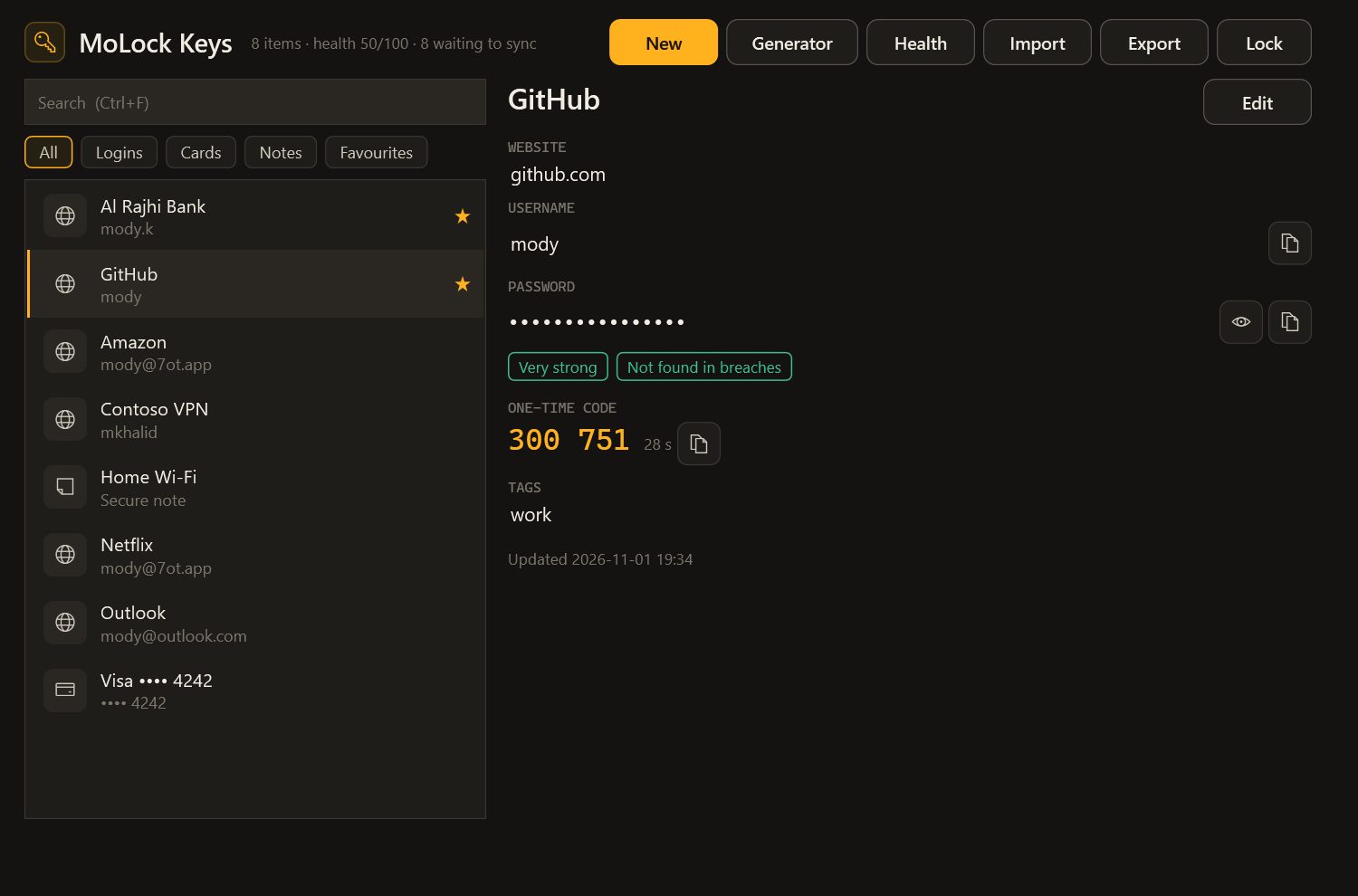
MoLock Keys
An end-to-end encrypted password manager for your browsers and desktop apps — fill, save, generate and check for breaches.
- New · 3.1
Ransomware shield & Security health
Pauses a program that starts encrypting your files, keeps restore snapshots, and sums up your PC’s safety in one score.
- New · 3.1
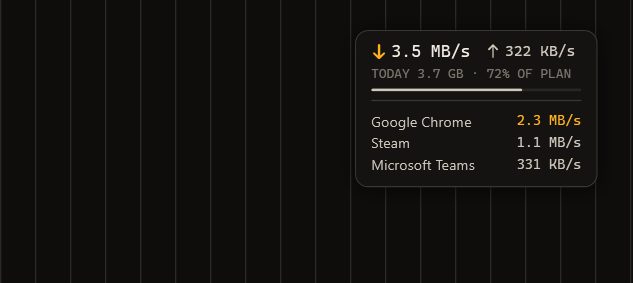
Data usage monitor
Per-app and per-network usage, a monthly plan with alerts, per-app limits and a tiny live overlay.
- New · 3.1
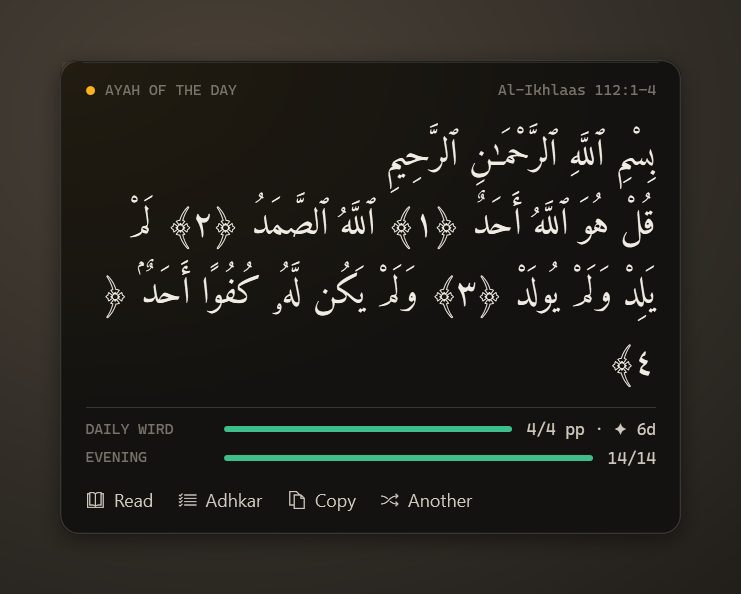
Quran & adhkar
A mushaf reader, a daily wird, morning and evening adhkar with counters, and an ayah of the day on your desktop.
- New · 3.1
Support links & smoother video
Share your screen with a helper through a one-time encrypted link — and remote video that uses about a third of the data.
- New · 3.1
Screen translate
Select any part of the screen and read it in Arabic or English — free.
- Upgraded · 3.1
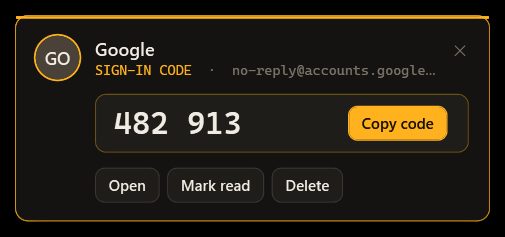
Mail 3.1: codes in one click
Sign-in codes detected and copied in one click, desktop notifications with actions, a faster reader and offline reading.
- New · 3.1
Public roadmap & suggestions
See what we are building, vote, and suggest features from the app, the dashboard or the site — every suggestion gets an answer.
05 / 05Questions
Roadmap
Where can I see upcoming features?
On the roadmap page, in the app from the tray menu (“Roadmap & suggestions”) and in the dashboard. Every item shows its status — In progress, Planned, Considering or Shipped — and its votes. We only give dates when we are confident about them.
How do I suggest a feature?
From the app (“Suggest a feature” in the roadmap window), from the dashboard at 7ot.app/me/roadmap, or from the roadmap page once signed in. Write one idea in one line, with optional details. If someone suggested the same idea before you, yours joins it and the answer reaches everyone.
Will my suggestion get an answer?
Yes. We read every suggestion and answer it: accepted (and added to the roadmap), later, or not planned with the reason. The reply reaches you in the dashboard's notification centre and in the app — and through the bot or email if your preferences say so — and we tell you when the feature starts or ships.
How do votes work? Is my name shown?
One vote per MoLock Account (your linked PCs share it), and you can take it back at any time. Only counts are shown — names never appear next to votes or suggestions.
Is there a limit on suggestions?
Yes — modest daily and weekly limits per account keep the list free of spam, and messages full of links are refused. Write one idea per suggestion so we can answer it clearly.
Your idea shapes the next release
What is MoLock missing?
Sign in to your 7ot.app account and write your idea in one line.