Quran and adhkar on your PC: a calm place to read
Most of us spend more hours in front of a computer than anywhere else. MoLock 3.1 makes room there for the Quran and the daily adhkar: a careful mushaf, a wird you can keep, and reminders that know your prayer times.
Mahmoud Mohamed · 9 min read
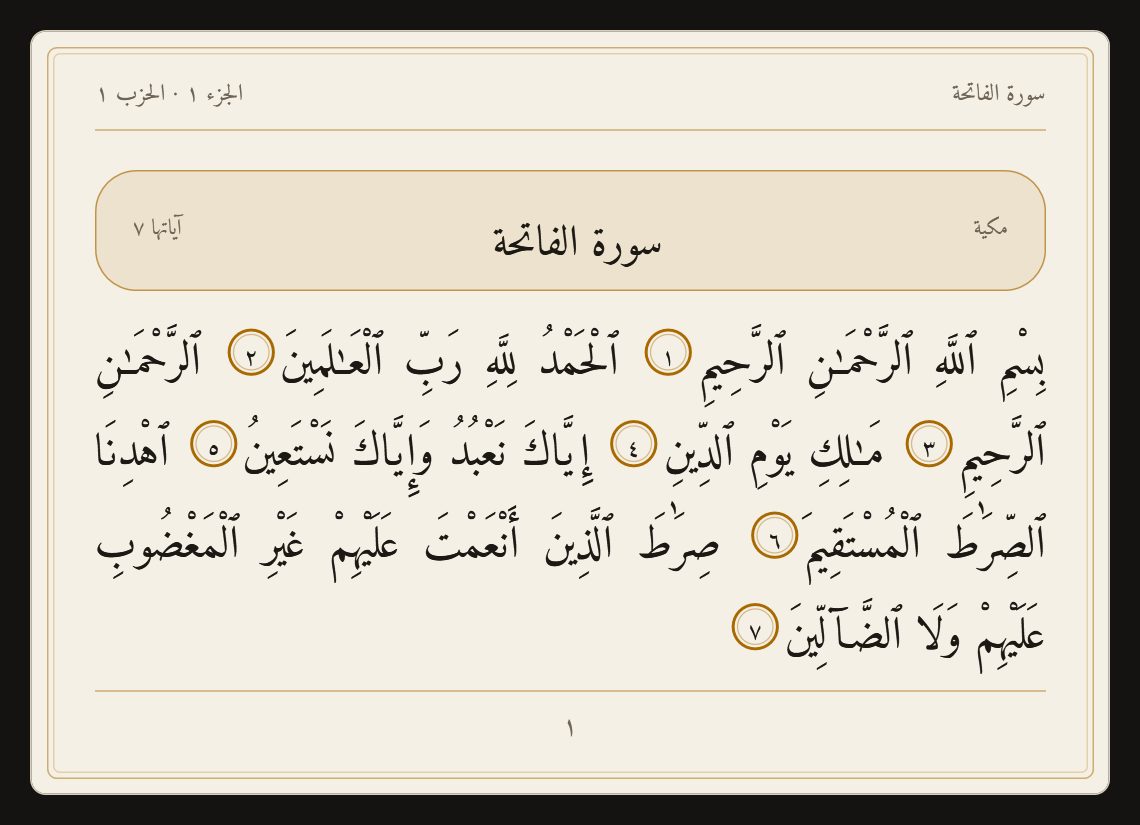
A quiet place on a busy screen
A phone is always within reach, and so is everything on it that pulls us away. The computer is where many of us work, study and spend the longest stretch of the day, often from the hour after Fajr until well after Isha. It is also, for most people, a place with no room for the Quran at all.
The Quran & adhkar feature in MoLock 3.1 is our attempt to change that, quietly. It does not compete for your attention or reward you with badges. It gives you a careful mushaf a click away, helps you keep a daily portion, and reminds you of the morning and evening adhkar at the right moment, in the same calm style as the rest of MoLock.
We built it with one principle above all others: the sacred text must be shown exactly as it was published, from a trusted source, and nothing may be added that we cannot stand behind. Everything below follows from that.
The sacred text is shown exactly as it was published, and nothing is added that we cannot stand behind.
The mushaf reader
Open The Holy Quran from Settings → Quran, or from the desktop widget. On the left are tabs for Suras, Juz, Search, Saved and Wird; on the right is the page itself.
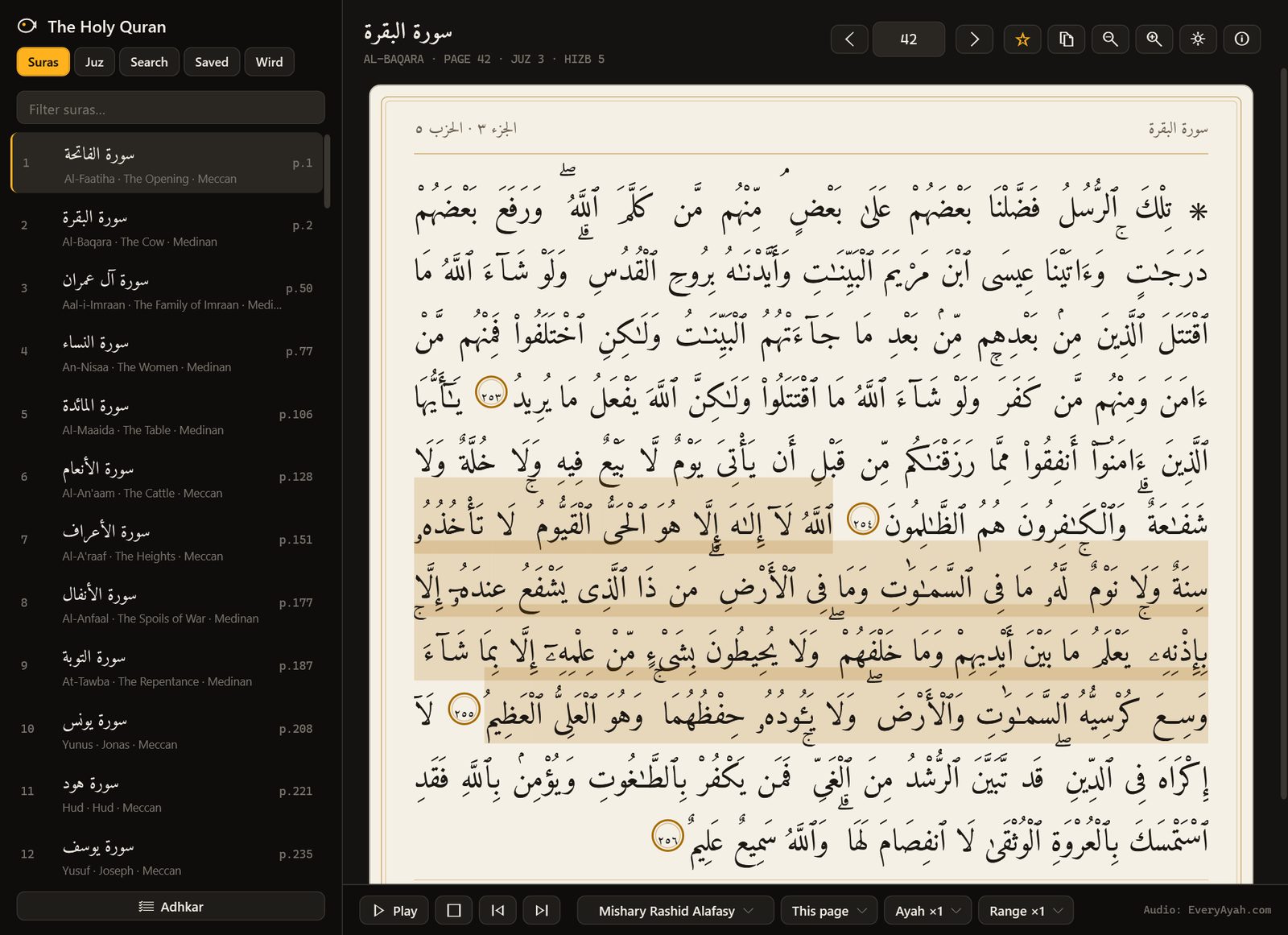
- The text is the Uthmani text from the Tanzil Project, embedded byte for byte and checked for integrity. MoLock does not retype, reshape or alter it. Tanzil’s licence allows the text to be used in any application as long as it is unchanged and its source is clearly named with a link, and the reader does exactly that.
- The layout follows the 604 pages of the Medina mushaf, with surah headers, juz and hizb quarters, and the signs of sajdah where they occur.
- Navigation works the way you think about the Quran: pick a surah from the list, jump to a juz, type a page number, or turn pages with the arrows.
- Paper or dark page. A warm paper page for daytime, a dark page for the evening, and larger or smaller text for your eyes.
- Copy with reference. When you copy an ayah, the surah and ayah number and a line naming the Tanzil Project and its website come with it.
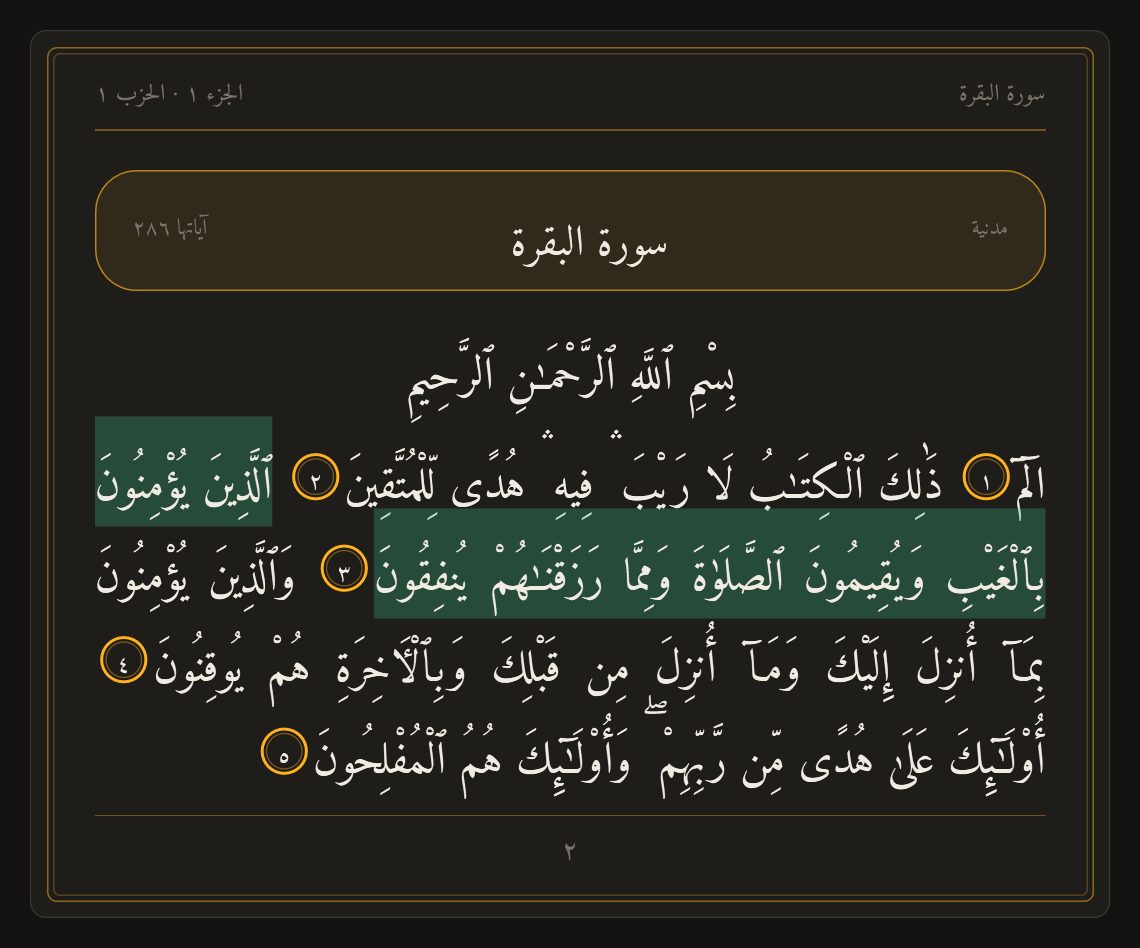
The text is set in Amiri Quran, an openly licensed typeface designed for the Quran. The Sources & licences window in the reader shows Tanzil’s copyright notice in full, together with the font’s licence.
Search and bookmarks
Search is built for the way people actually type Arabic on a keyboard. Diacritics do not matter, and the common variants of alif, ta marbuta and alif maqsura are treated as the same letter, so you find what you meant even if you typed it plainly. The same box also understands references: type 2:255, a surah name with an ayah number, “page 50” or “juz 30”, and the reader goes straight there. Search runs on your PC and needs no internet.
To keep your place, select an ayah and press the bookmark button, or Ctrl+D. Your bookmarks live in the Saved tab, and the reader also remembers where you last read, so opening it again brings you back to the same page.
A daily wird you can keep
A wird is a portion you read every day. Consistency matters more than size, and a small portion kept every day is better than a large one abandoned after a week. MoLock offers two ways to set one in Settings → Quran:
- Pages a day: from 1 to 20 pages.
- Finish a khatma in…: choose the number of days, from 7 to 365, and MoLock works out today’s pages for you.
The Wird tab shows today’s pages, how many you have read, your streak of days in a row and your progress through the current khatma, with the last 14 days beneath it. You do not need to tick anything: reading the next wird page for about twenty seconds and turning forward counts it, and you can always mark a page as read or press Mark today done. Changing your plan keeps your reading position, so nothing is lost when life changes pace. If today’s portion is not read yet, a gentle reminder can appear at a time you choose, 8:30 PM by default.
Listening to recitation
Below the page is a small player. Choose a reciter, then what to recite: this ayah, this page, this surah or to the end. You can repeat each ayah, or repeat a range, which many people find helpful when memorising.
The recitations are streamed ayah by ayah from EveryAyah.com, a free public collection used by many Quran apps, and the player names it and the reciter. More than a dozen reciters are available, among them Mishary Alafasy, Mahmoud Khalil Al-Husary (including his teaching recitation), Al-Minshawi, Abdul Basit and As-Sudais. No audio is bundled with MoLock; recitation is the one part of the feature that needs the internet. If you allow it, ayahs you have heard are kept on your PC, up to a size you can clear at any time, so they play instantly and work offline the next time.
Adhkar with counters and references
The Adhkar window gathers the remembrances of the day into five lists: Morning, Evening, After prayer, Before sleep and On waking. Each one is a card with the Arabic text, a short English heading, how many times it is said, and a round counter. Click the card or press the space bar to count; when a card is complete it settles, and the bar at the top shows how far through the list you are.
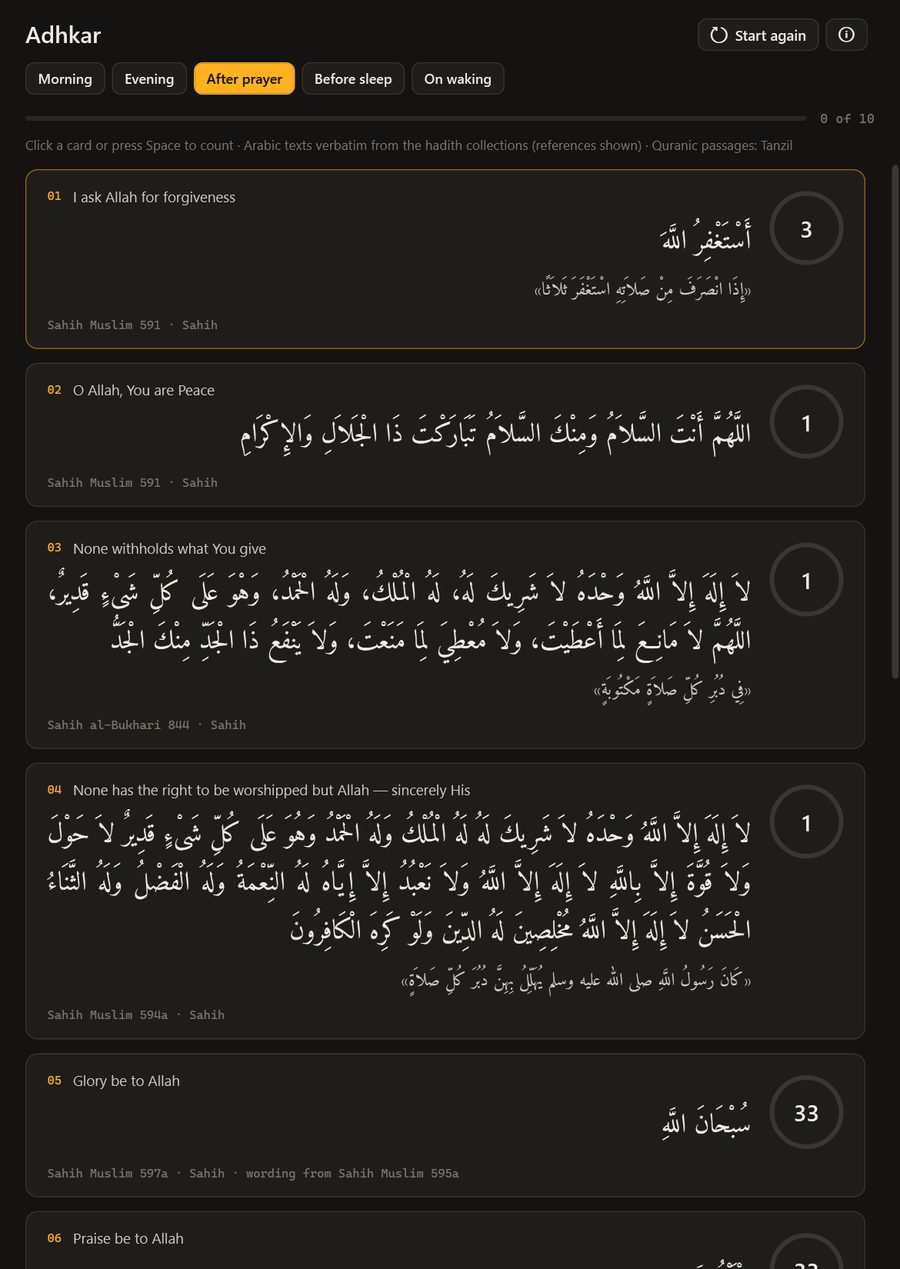
Because these are words of worship, the sourcing matters as much as the design:
- Every Arabic text is copied word for word from the hadith collections themselves: Sahih al-Bukhari, Sahih Muslim, and the Sunan of Abu Dawud, at-Tirmidhi and Ibn Majah.
- The reference and the grade appear under every text, so you can check it yourself. Narrations from the Sunan are included only when graded authentic or good; some well-known adhkar were left out because their chains are weak.
- The counts are the ones stated in the cited narration, such as the dhikr after prayer and before sleep.
- Adhkar that are themselves verses of the Quran, such as Ayat al-Kursi, the closing ayahs of Surat al-Baqarah and the last three surahs, are shown from the same Tanzil text as the mushaf.
Morning, evening and before-sleep lists reset each day; the after-prayer list resets after each prayer.
Reminders tied to your prayer times
A reminder at a fixed hour drifts away from the day as the seasons change. MoLock ties its adhkar reminders to the prayer times it already calculates on your PC, so “after Fajr” means after Fajr, in your city, today. If you have not set those up yet, prayer times on your desktop explains the methods and how to match your local timetable.
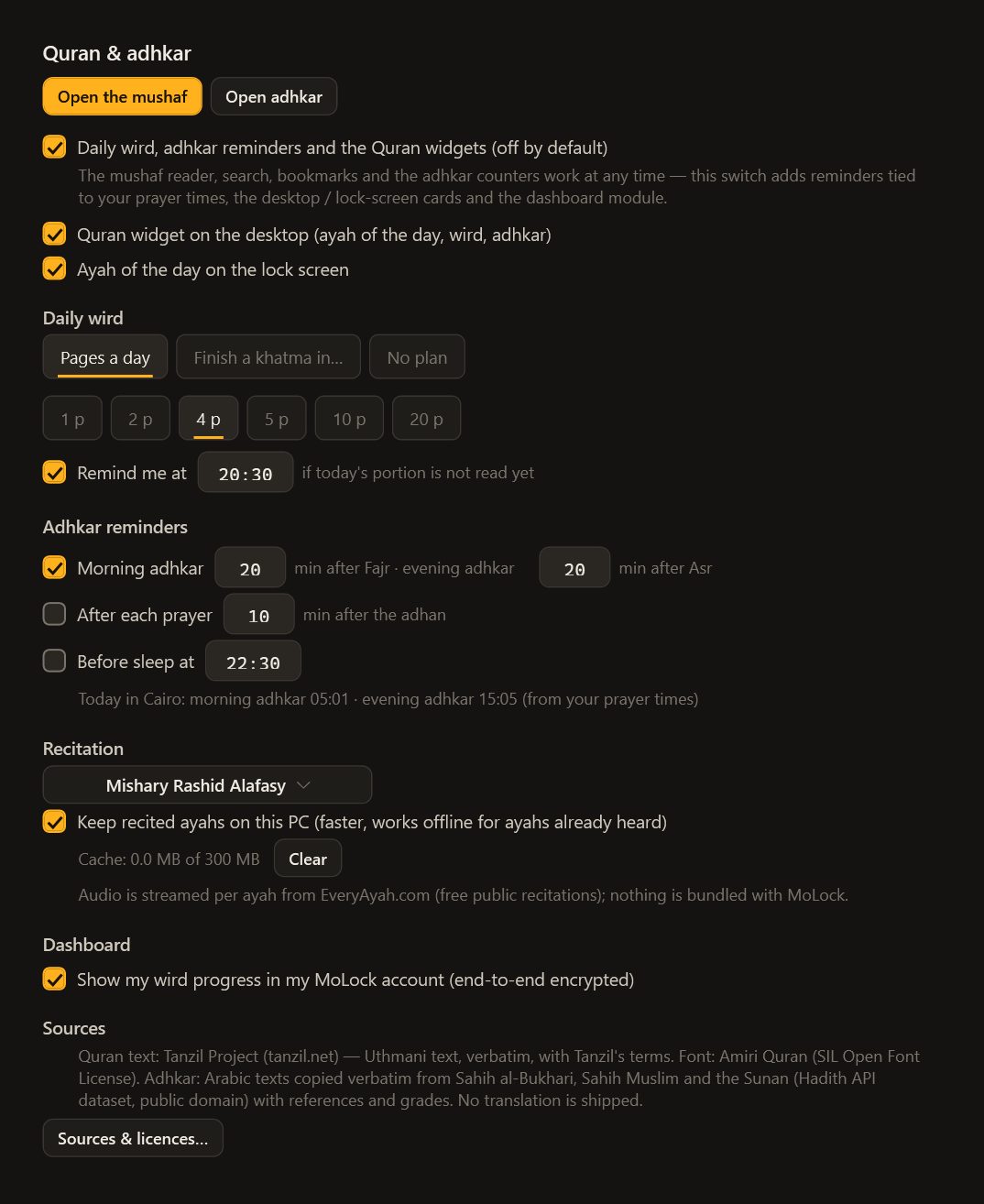
- Turn it on. In Settings → Quran, tick Daily wird, adhkar reminders and the Quran widgets. The reader, search, bookmarks and adhkar counters work without it; this switch adds the reminders, the widgets and the dashboard view.
- Choose your wird. A number of pages a day, a khatma in a set number of days, or no plan. Keep the evening reminder if you want one.
- Set the adhkar reminders. Morning adhkar come 20 minutes after Fajr and evening adhkar 20 minutes after Asr by default; adjust either. Add a nudge after each prayer or a reminder before sleep if you like.
- Pick a reciter. Choose a voice and decide whether to keep heard ayahs on your PC.
- Add the widgets. Tick the desktop widget, the lock-screen card, or both.
Reminders are considerate by design. Each fires once a day, stays silent while you are in a full-screen app, and appears as a quiet banner on the lock screen if the PC is locked. If the PC was asleep and a reminder is more than an hour and a half late, it is skipped rather than arriving at the wrong time.
Widgets on the desktop and the lock screen
The desktop widget brings the ayah of the day to your desktop, with your wird progress and the adhkar that fit the time of day beneath it. Its buttons open the mushaf at that place, open the adhkar, copy the ayah with its reference, or show another one.
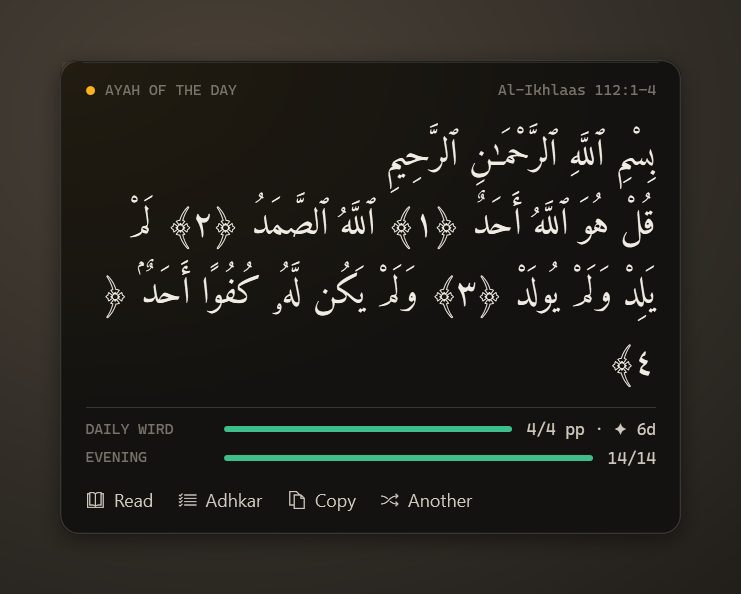
The lock-screen card shows the ayah of the day, with your wird and adhkar progress, on MoLock’s lock screen, so even a locked PC can offer a moment of reflection.
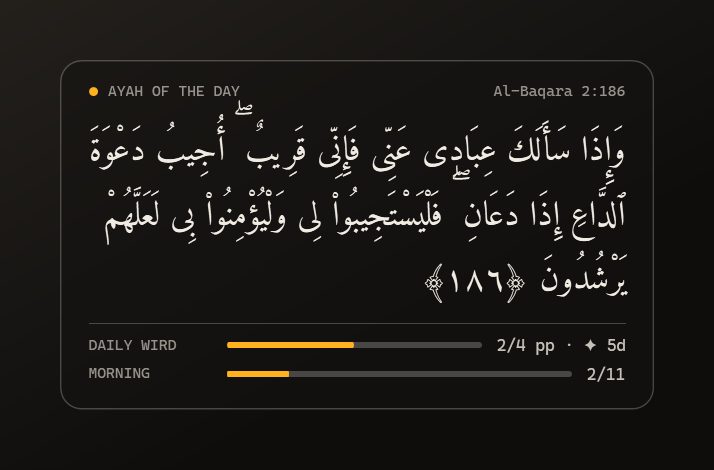
If your PC is linked to a MoLock Account, you can also choose to show your wird progress in your account. Your dashboard then shows today’s wird, your streak, your khatma progress and today’s adhkar, along with the ayah of the day and Tanzil’s attribution, and lets you change the settings from your phone. This view is end-to-end encrypted: it is locked on your PC before it leaves and opened only in your signed-in browser. Bookmark notes and reading history older than 14 days never leave the PC. The privacy page explains how the encryption works.
Sources, and what is not included
We would rather tell you plainly what the feature does not do than let you assume.
- Arabic only. MoLock ships no translation and no tafsir. We only use texts whose licence clearly allows them to be included, and we did not find a translation or tafsir that met that standard. Surah names are shown in Arabic and with their common English names, but the Quran itself is in Arabic only.
- The Quran text comes from Tanzil, unchanged, always with its attribution and a link to the Tanzil website.
- The adhkar are copied from a public-domain edition of the hadith collections, with references and grades shown.
- The recitations are streamed from EveryAyah.com when you press play, with attribution, and are never redistributed by MoLock.
- Everything else works offline: the mushaf, search, the wird, the adhkar and the reminders.
May it be a small help in keeping close to the Book of Allah through a busy day. Open the Quran & adhkar page to see the whole feature on one screen, or read how MoLock helps you balance time on the screen.