Prayer times, alive on your desktop. Accurate, offline.
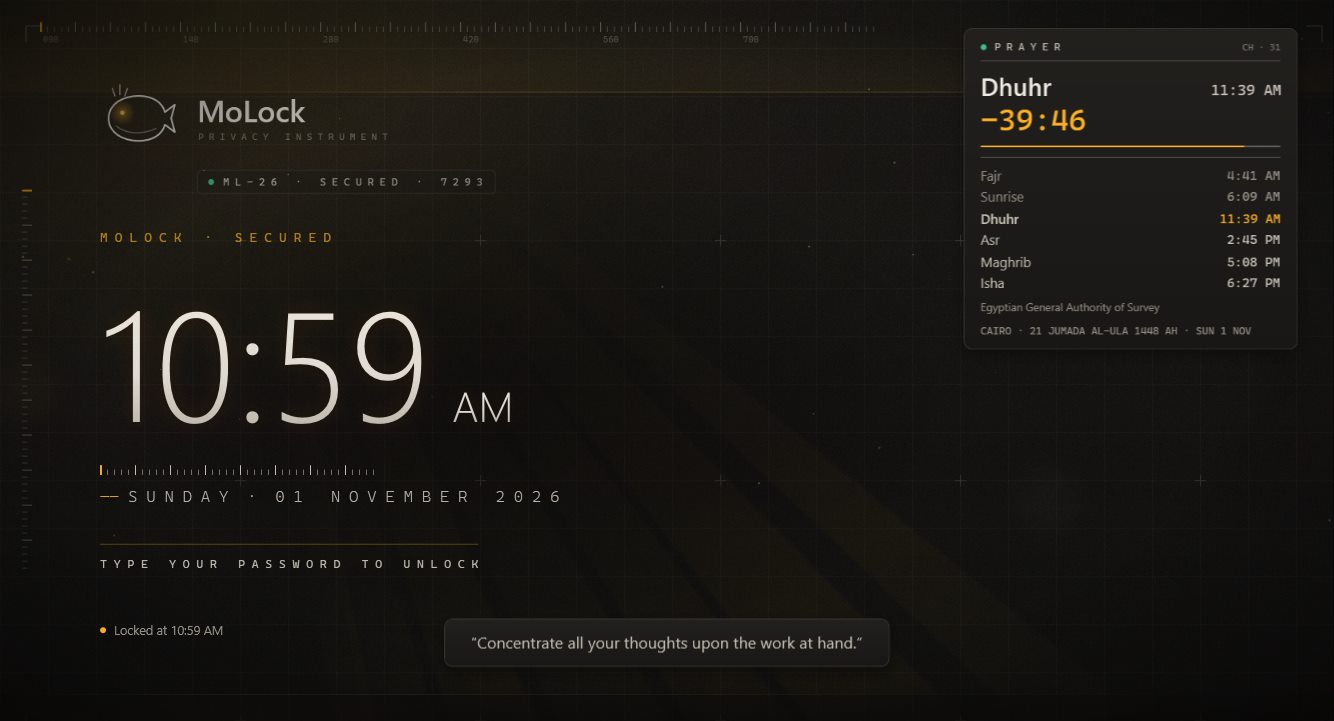
A live widget on your desktop and on the lock screen: the next prayer highlighted, a countdown that ticks, the Hijri date — calculated on your PC with the method your local authority uses. Adhan or a gentle reminder, Ramadan mode and a Friday reminder, all in one place.
New in 2.9Free · 10 calculation methods · works offline
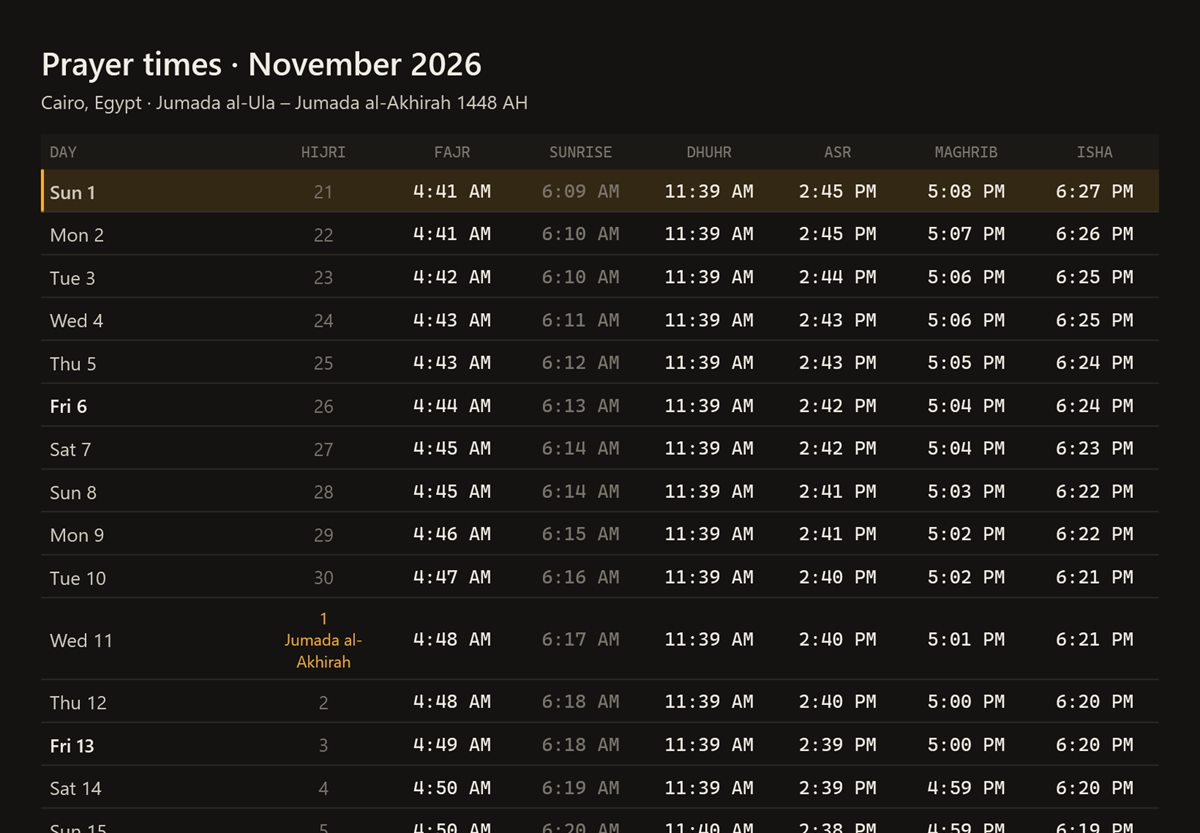
| Day | Fajr | Sunrise | Dhuhr | Asr | Maghrib | Isha |
|---|---|---|---|---|---|---|
| 1 Sun | 04:41 | 06:09 | 11:39 | 14:45 | 17:08 | 18:27 |
| 2 Mon | 04:41 | 06:10 | 11:39 | 14:45 | 17:07 | 18:26 |
| 3 Tue | 04:42 | 06:10 | 11:39 | 14:44 | 17:07 | 18:25 |
| 4 Wed | 04:43 | 06:11 | 11:39 | 14:43 | 17:06 | 18:25 |
| 5 Thu | 04:43 | 06:12 | 11:39 | 14:43 | 17:05 | 18:24 |
| 6 Fri | 04:44 | 06:13 | 11:39 | 14:42 | 17:04 | 18:24 |
| 7 Sat | 04:45 | 06:14 | 11:39 | 14:42 | 17:04 | 18:23 |
Calculated on your PC, offline · Shafi'i Asr
CairoEgyptian General Authority
Jumada I 21, 1448 AH
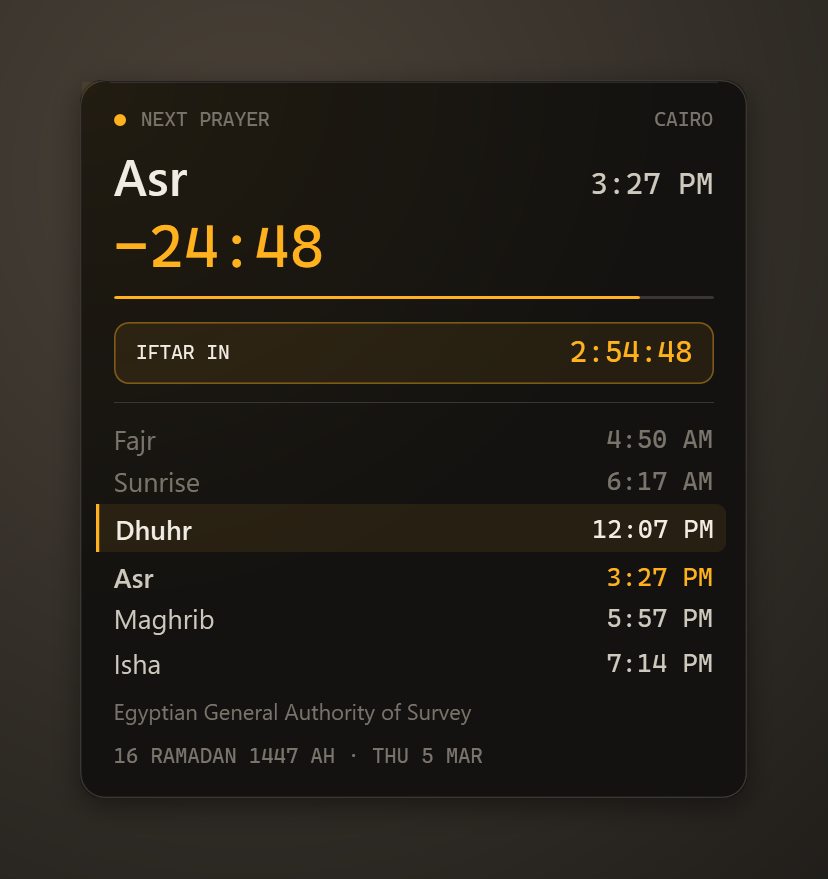
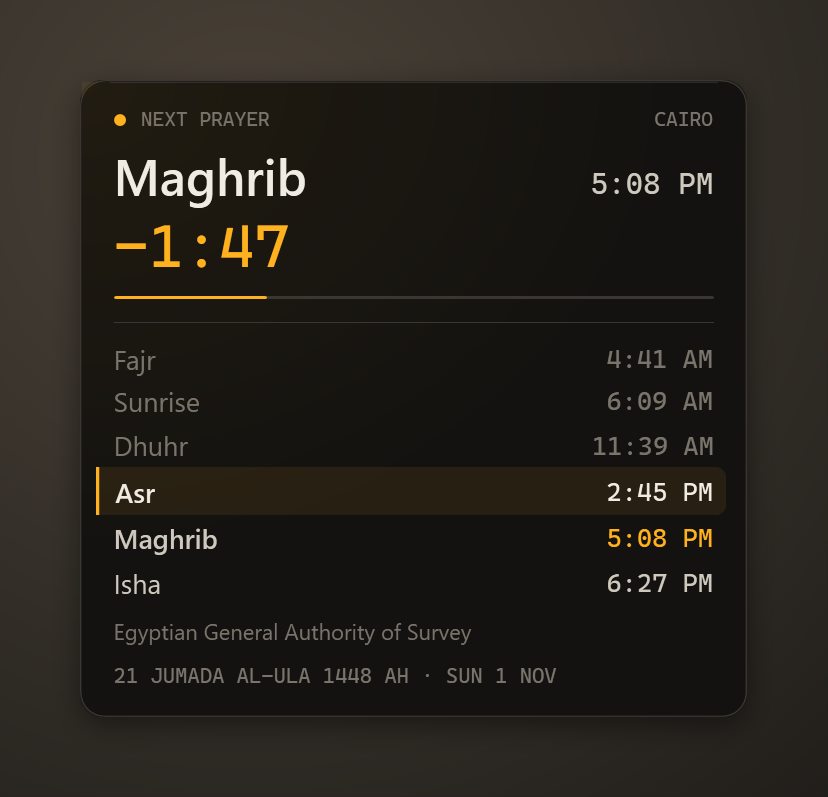
Next prayer
Asr2:45PM
- Fajr4:41AM
- Sunrise6:09AM
- Dhuhr11:39AM
- Asr2:45PM
- Maghrib5:08PM
- Isha6:27PM
- Calculation methods10
- Hijri adjust±2DAYS
- Internet needed0
- Cost0FREE
01 / 09How it works
Pick your city. The rest is astronomy.
Times are calculated from the sun's position for your exact location — no service to call, nothing to download each day.
- 01Step 1/3
Choose your city
Search the built-in city list offline, or let Windows location find you.
- 02Step 2/3
Match your mosque
Pick the calculation method your local authority uses, Shafi'i or Hanafi Asr, and nudge any prayer by a minute or two if your mosque does.
- 03Step 3/3
Place the widget
Drag it anywhere on the desktop, compact or expanded. Click it for the month's timetable.
02 / 09What it does
Every prayer, on time. Without opening anything.
The widget lives where you already look: on your desktop while you work, and on the lock screen when you step away.
Active desktop widget
Live countdown, next prayer highlighted, compact or expanded, draggable — stays under your windows and hides in full-screen apps.
Lock-screen widget
The day's prayers and the countdown, right on the MoLock lock screen.
Adhan or a gentle reminder
Open-licensed recordings, pre-reminders before each prayer, and media paused at adhan time.
Calm prayer lock
Optional: a peaceful lock screen for the minutes you choose — time to step away.
Ramadan mode
Imsak and iftar countdowns and a suhoor alarm.
Friday reminder
A reminder before Jumu'ah, at the time you set.
Hijri date
Umm al-Qura calendar, adjustable by up to two days to match your country's sighting.
Daily times on Telegram
Optional morning message with the day's times — and a snooze button on reminders.
03 / 09Accurate methods
Why apps differ by minutes. And how to match yours.
Fajr and Isha depend on how far the sun is below the horizon — and authorities choose different angles. Asr depends on shadow length, which differs between schools. MoLock lets you pick each rule explicitly.
- Ten methodsEgyptian General Authority of Survey, Umm al-Qura, Muslim World League, ISNA, Karachi, Dubai, Kuwait, Qatar, Singapore and Turkey.
- Asr and high latitudesShafi'i or Hanafi Asr, plus rules for places where twilight barely ends in summer.
- Minute offsetsAdd or subtract minutes per prayer to match your local mosque's timetable.
Calculation methodFajr · Isha
| Method | Fajr | Isha |
|---|---|---|
| Egyptian General Authority | 19.5° | 17.5° |
| Umm al-Qura | 18.5° | 90 min after Maghrib |
| Muslim World League | 18° | 17° |
| ISNA (North America) | 15° | 15° |
| Karachi | 18° | 18° |
| Dubai | 18.2° | 18.2° |
| Kuwait | 18° | 17.5° |
| Qatar | 18° | 90 min after Maghrib |
| Singapore | 20° | 18° |
| Turkey | 18° | 17° |
Asr: Shafi'i or Hanafi · high-latitude rules · per-prayer minute offsets
04 / 09New in 3.0
Hear the adhan. Keep a hadith in view.
MoLock 3.0 adds real adhan audio and an optional hadith widget — both off until you choose them, both respectful of focus and quiet hours.
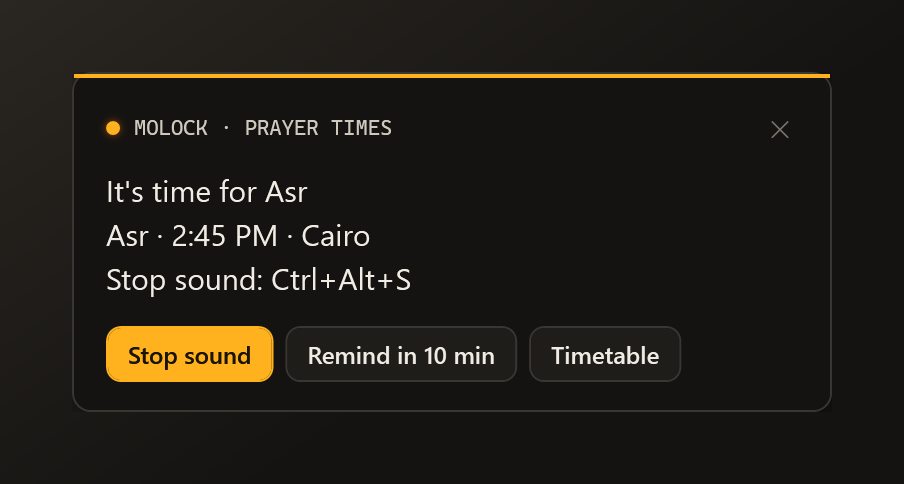
- Adhan audioFull adhan, a short version or a gentle chime, with a choice of muezzin — plus a toast and a lock-screen banner. Openly licensed recordings, credited in About.
- Offline or online timesThe offline calculation stays the default; you can switch to an online source, with automatic fallback to offline if it can’t be reached.
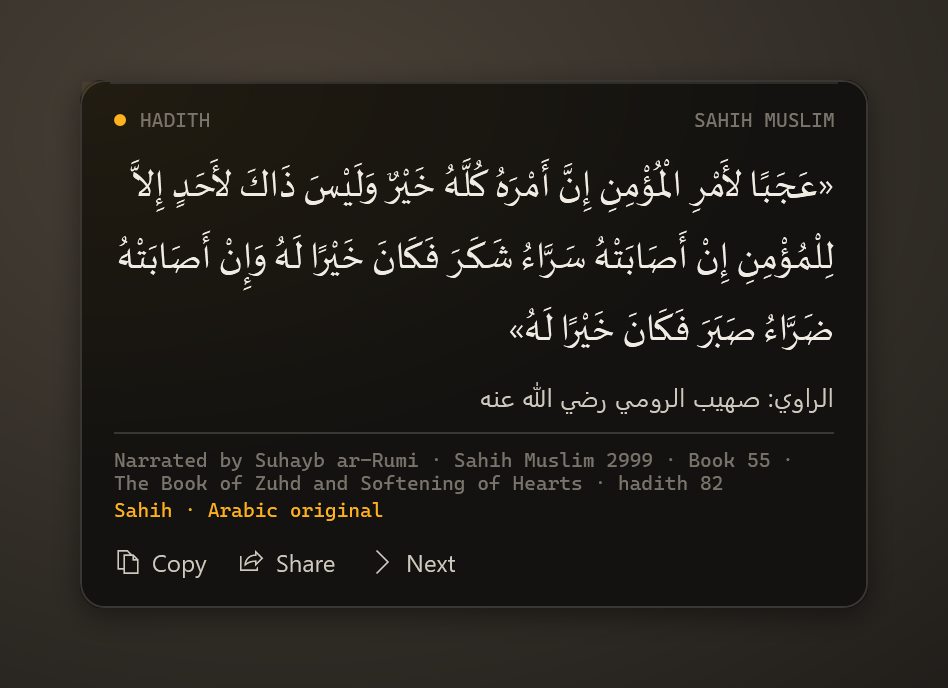
- Hadith widget (opt-in)Curated authentic hadiths in their original Arabic, with source, number and grading — on the desktop, the lock screen or as a toast, every 15 minutes up to once a day.
- No repeatsA hadith isn’t shown again until the whole set has been seen. English meanings appear only where a properly licensed translation exists.
05 / 09Privacy
Your location stays on your PC.
Prayer times are calculated on the PC from your city's coordinates. Nothing about your prayers is tracked, and no daily history is kept for this feature.
Fully offline
No service is called to get the times; the widget works on a plane.
City, not GPS trail
Only the chosen city is used; your movements are never recorded.
Encrypted settings sync
Your prayer settings sync to the dashboard end-to-end encrypted, so you can change them from your phone.
Reaches your dashboard
- Your chosen method and city (for the timetable)
- Reminder settings
Stays on your PC
- Your movements
- Whether or when you prayed
- Anything you hear or say
The little that sync needs
- That an update arrived, and when
- Its size and which PC
- Sealed data it cannot read
06 / 09Dashboard & bot
The timetable in your pocket. Snooze in one tap.
The dashboard shows the month's timetable for each PC and edits its prayer settings remotely. Choose whether Telegram sends the daily times; a reminder that catches you mid-meeting can be snoozed from the bot.
/prayer💤 Snooze 10 min · 📋 Summary · Open in dashboard- Every feature has a page in the dashboard: its live state, its history and its settings — and the PC follows what you change.
- Notification preferences and quiet hours decide what the bot sends; each button works once and the message is updated with the result.
07 / 09Limits
Exactly what it does. And what it doesn't.
A minute or two either way
Published timetables round differently and some add precautionary minutes. Use the offsets to match your mosque.
Hijri date and moon sighting
The calendar is calculated; your country may announce a month a day earlier or later — adjust by ±2 days.
Not a religious ruling
MoLock calculates; your local religious authority decides which method applies where you live.
08 / 09Read more
In-depth guides. In plain words.
Prayer times on your desktop: accurate methods explained
Two apps, one city, two different Fajr times. That is rarely a bug; it is a choice of method. Here is how prayer times are calculated, how to match the timetable your local authority and mosque use, and how MoLock keeps them in view without getting in the way.
Screen time without guilt: focus that sticks
Most screen-time tools greet you with a number that makes you feel bad, so you stop looking. Here is a calmer approach: measure honestly, decide what you want more of, and let the PC protect the hours that matter.
Why your lock screen should not feel heavy
A lock screen is on longer than almost anything else you run: through lunch, through meetings, sometimes all night. That is why MoLock treats its own weight as a feature — and why it now gives you effect tiers.
09 / 09Questions
Prayer times
Which calculation method should I choose?
The one your local religious authority uses — for example the Egyptian General Authority of Survey in Egypt or Umm al-Qura in Saudi Arabia. Then fine-tune any prayer by a minute or two to match your mosque.
Do prayer times need the internet?
No. They are calculated on your PC from your city's coordinates, so the desktop and lock-screen widgets keep working offline.
Can I hear the adhan, or just a reminder?
Either. Choose an adhan (open-licensed recordings) or a gentle tone, add a reminder before each prayer, and let MoLock pause music or video at adhan time. Ramadan mode adds imsak and iftar countdowns and a suhoor alarm.
Does MoLock play the adhan? What is the hadith widget?
Yes, since 3.0: full adhan, short or a chime, with a choice of muezzin, a toast and a lock-screen banner. The hadith widget is optional and off by default: curated authentic hadiths in Arabic with source, number and grading, at the interval you choose, with no repeats until the set is done.
Free · no ads
Try it on your PC today.
Windows 10 & 11 · works without an account; the dashboard is optional and free