7ot.app is the home of MoLock. One account for everything you protect.
MoLock started as a Windows lock screen that shows you who tried to get into your PC. Today 7ot.app is where everything comes together: your PCs, your encrypted mail, your passwords, your family and remote control — while your PC's protection keeps working even offline.
01 / 07The name
Why a whale? And why a 7?
“7ot” is حوت — Arabic for whale — written the way Arabic speakers type it in Latin letters: the 7 stands for the letter ح. The whale is the mark in the MoLock icon: calm, strong, and much deeper than it looks.
We wanted an address that takes a second to type and is easy to remember in Arabic and English alike. 7ot.app is seven characters, and everything MoLock lives under it: the site, 7ot.app/me for your dashboard, name@7ot.app for your mail and 7ot.app/support for support links.
MoLock is the name of the app on your PC; 7ot.app is its home on the internet. Every older address redirects to it automatically.
02 / 07One account
Everything in one place. Everything optional.
Locking, intruder photos and alerts work on your PC without an account. Link your PC to a MoLock Account at 7ot.app and you also get:
- Every PC in one dashboardLock, take a photo, turn on Lost mode and approve unlocks from your phone. Account
- A free name@7ot.app emailStored encrypted, with desktop notifications and sign-in codes copied in one click. Mail
- Your passwordsAn end-to-end encrypted vault that fills browsers and apps. MoLock Keys
- Your familyLimits, bedtime and requests you answer from your phone. Family
- Remote control & support linksYour PC in any browser, and a one-time link for whoever helps you. Remote
- Your PCs
- name@7ot.app mail
- Your passwords
- Your family
- Remote control
- Security health
03 / 07Principles
Six promises. Kept in every release.
Genuinely free, no ads
Everything that protects your PC is free. Premium adds room, family and pro tools with a serial — no card payments on the site.
Your PC comes first
Locking, alerts and the ransomware shield work offline. Nothing local stops because a server is down or an account is paused.
Encrypted where it matters
Passwords, notes, photos, family and remote control are end-to-end encrypted; mail is stored sealed to your account key.
Counts, not people
Usage statistics are daily counts only and crash reports are scrubbed — each with an off switch.
Arabic and English, equally
Every screen and message in Arabic and English, with proper right-to-left layout.
You help shape it
A public roadmap, voting and “Suggest a feature” — and every suggestion gets an answer.
04 / 07New in 3.1
Everyday power. In one account.
- New · 3.1
MoLock Keys
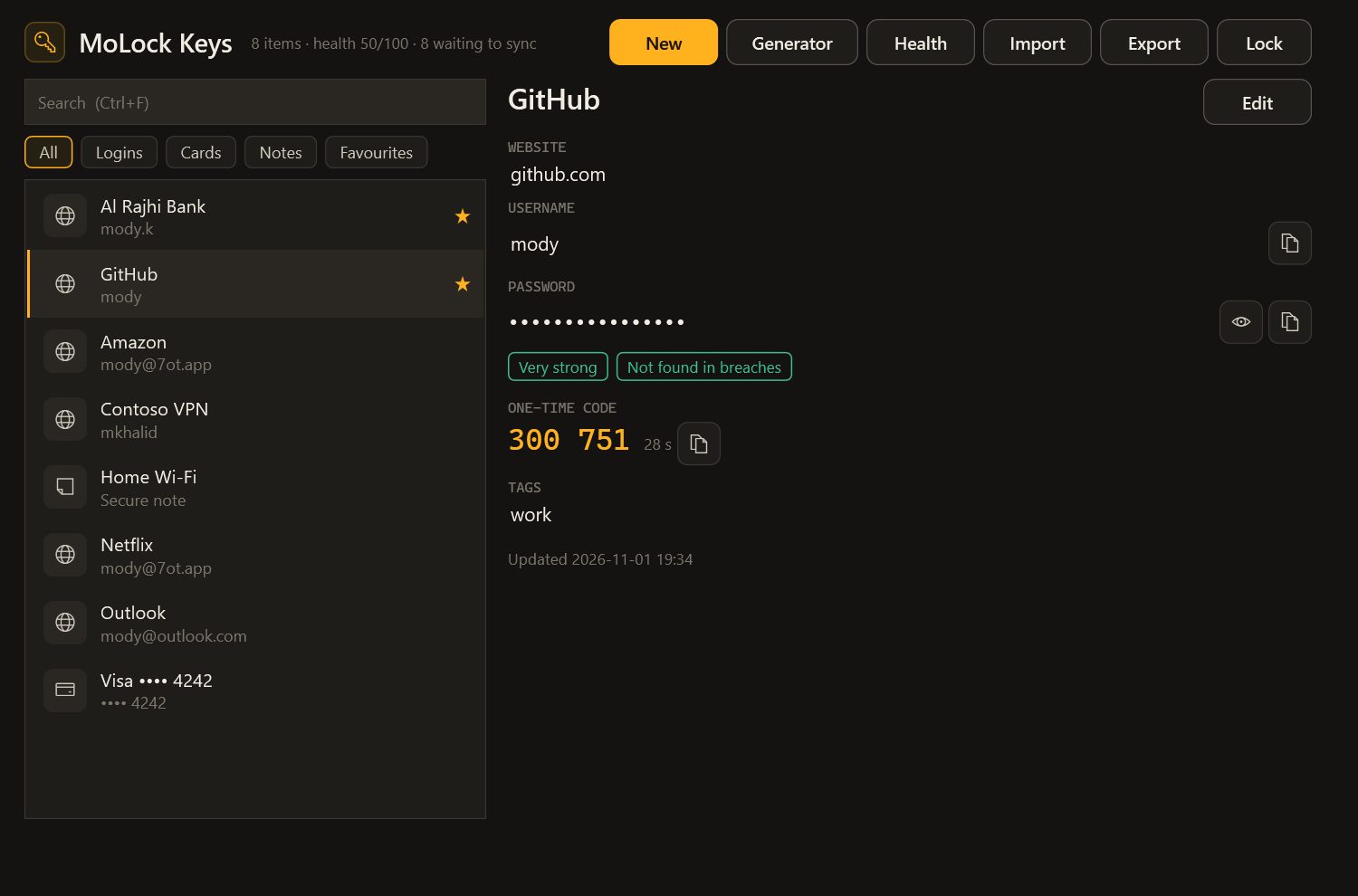
An end-to-end encrypted password manager for your browsers and desktop apps — fill, save, generate and check for breaches.
- New · 3.1
Ransomware shield & Security health
Pauses a program that starts encrypting your files, keeps restore snapshots, and sums up your PC’s safety in one score.
- New · 3.1
Data usage monitor
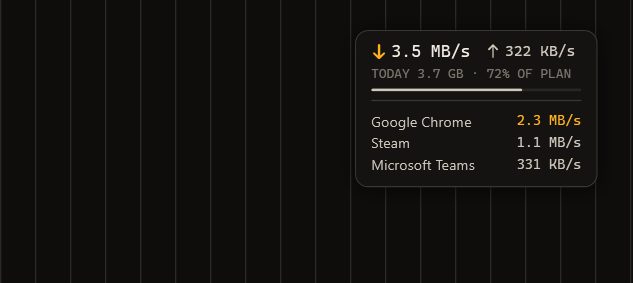
Per-app and per-network usage, a monthly plan with alerts, per-app limits and a tiny live overlay.
- New · 3.1
Quran & adhkar
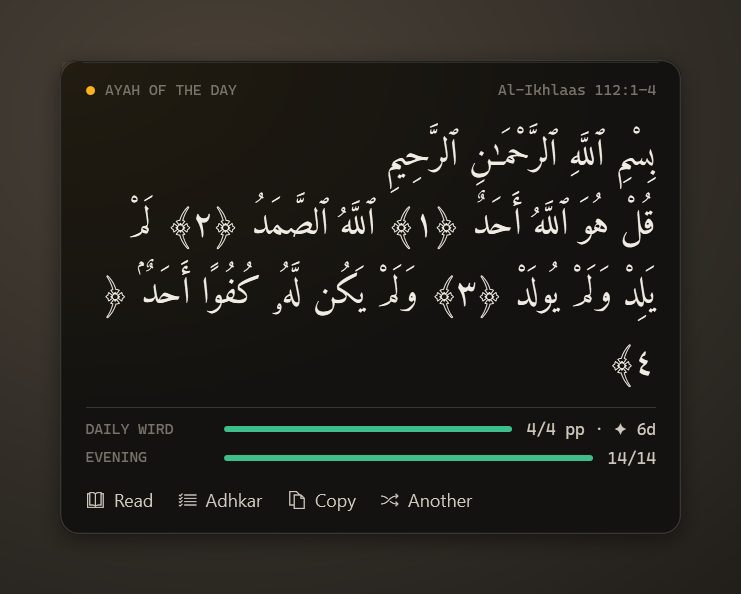
A mushaf reader, a daily wird, morning and evening adhkar with counters, and an ayah of the day on your desktop.
- New · 3.1
Support links & smoother video
Share your screen with a helper through a one-time encrypted link — and remote video that uses about a third of the data.
- New · 3.1
Screen translate
Select any part of the screen and read it in Arabic or English — free.
- Upgraded · 3.1
Mail 3.1: codes in one click
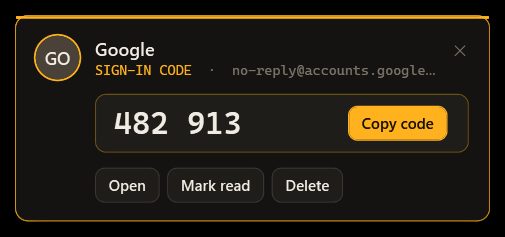
Sign-in codes detected and copied in one click, desktop notifications with actions, a faster reader and offline reading.
- New · 3.1
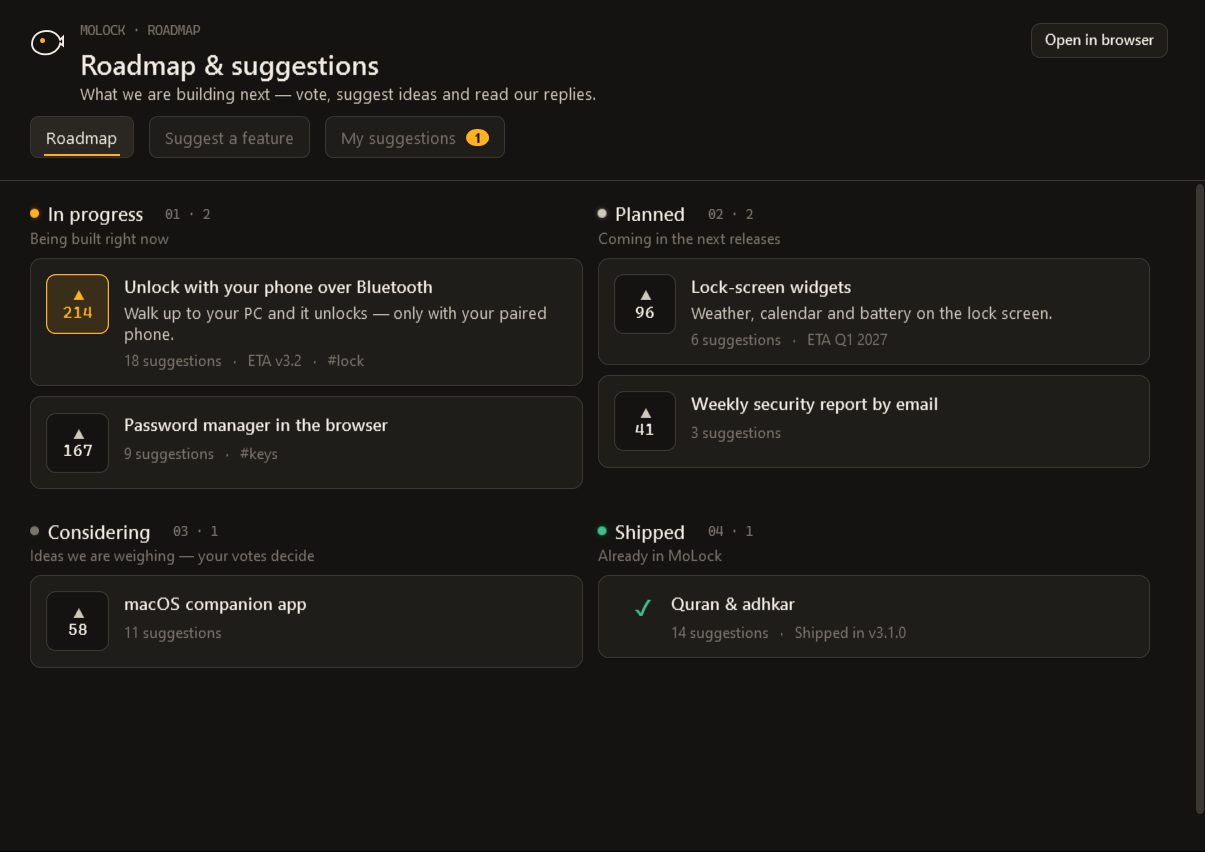
Public roadmap & suggestions
See what we are building, vote, and suggest features from the app, the dashboard or the site — every suggestion gets an answer.
05 / 07The path so far
From a lock screen to a whole home.
MoLock 2.5
Camera motion detection and tamper alerts with a photo.
MoLock 2.6
The encrypted personal portal, reminders and the Graphite & Amber identity.
MoLock 2.7
The MoLock Account, the official bot, the vault and everyday tools.
MoLock 2.9
Dashboard first, MoLock Remote, walk-away lock and prayer times.
MoLock 3.0
The move to 7ot.app, mail, family and plans.
MoLock 3.1
Passwords, the ransomware shield, data usage, Quran, support links and the public roadmap.
06 / 07Roadmap
What we are building now. Live from our board.
This list comes straight from our own board. Vote for what matters to you, or suggest what's missing.
07 / 07Who makes it
One developer. And users who join in.
MoLock is designed and built by Mahmoud Mohamed (Mody Mohamed) in Egypt — from the code to the design to answering your messages. That is why every suggestion is read by a person.
- Supportsupport@7ot.app
- WhatsAppMessage the developer
- FacebookThe developer's page
Read our story
- What is 7ot.app? Our story, and what comes nextA short name with a long story: how an Arabic word for a whale became the address of MoLock, who builds it, the principles that do not change, and how you can help decide what comes next.
- Your free 7ot.app email: a private inbox in MoLockMoLock 3.0 can give you an email address of your own on 7ot.app, free. Here is how to choose a good handle, how the inbox works, and, honestly, what its encryption does and does not cover.
- A password manager done right: inside MoLock KeysMost accounts are not lost to clever hackers but to one password used in too many places. Here is how MoLock Keys fixes that habit without asking you to trust anyone with your passwords, and where its limits are.
Free · no ads
Welcome to the whale's home.
Windows 10 & 11 · the 7ot.app account is optional and free